What can be done?
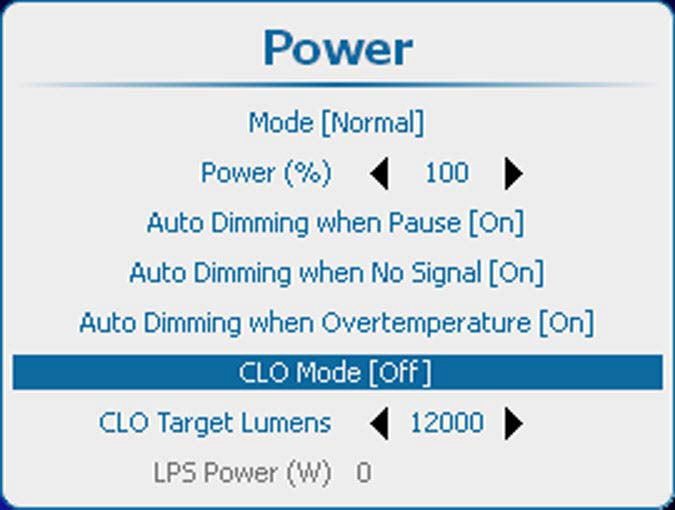
Constant Light Output allows to force a constant light output (set in the item) of the projector over a certain period. This will eliminate uncontrolled light output drop caused by natural aging of the lamp. The light output is checked every 5 minutes, if the target is not met, the lamp power is adjusted.
Setting CLO off means that the lamp will operate at constant power (no power adaptation to meet constant light output).
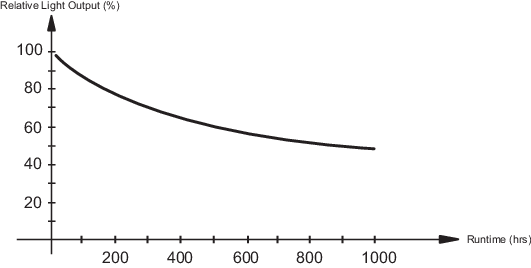
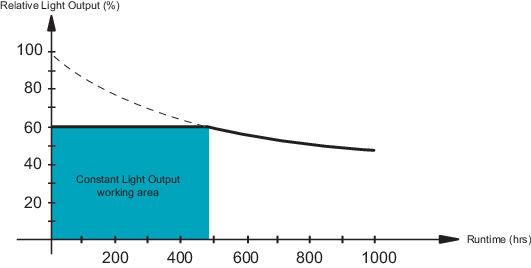
In the illustration below, a normal light output curve is shown over the first 1000 hours, Image 12–16. By using CLO and setting the target to 60% of the maximum light output, one will be able to operate during approximately 500 hours with a constant light output, Image 12–17.