Source selection when no picture in picture is active
Use the digit keys on the remote control or local keypad to activate the desired source.

Use the digit keys on the remote control or local keypad to activate the desired source.
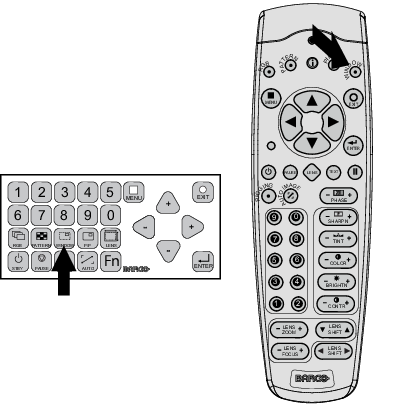
Use the Window button on the remote control or the local keypad to select the main window or the picture in picture (PiP) window.
The outline of the selected window gets a colored rectangle to indicate the selection. For the main window, the color is blue. For the picture in picture window, the color is orange.
Once the desired window is activated (main window or picture in picture window) all keys on the remote control or local keypad can now control that selected window.
To select the source for the picture in picture window, press Window button until PiP window is activated and then select the desired source with the digit keys.
To select the source for the main window, press Window button until the main window is activated and then select the desired source with the digit keys.