What can be done?
When all necessary preparations are taken, the refill mode activates automatically the refill process.
For more information about the refill process, consult the Service manual.


When all necessary preparations are taken, the refill mode activates automatically the refill process.
For more information about the refill process, consult the Service manual.
Press Menu to activate the menus and select → .
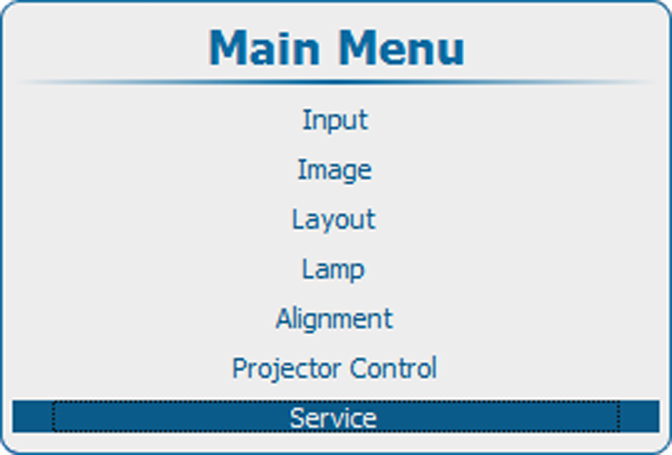
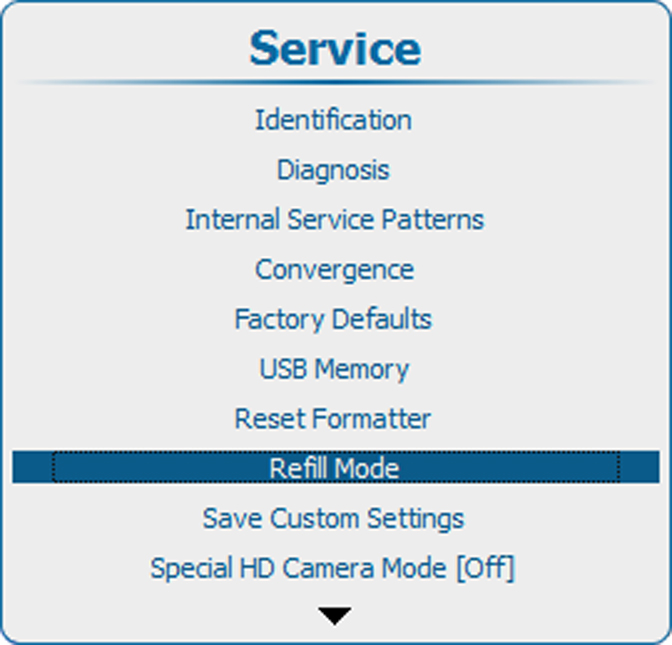
Press ENTER to select. Use the ▲ or ▼ key to select . or and press ENTER.
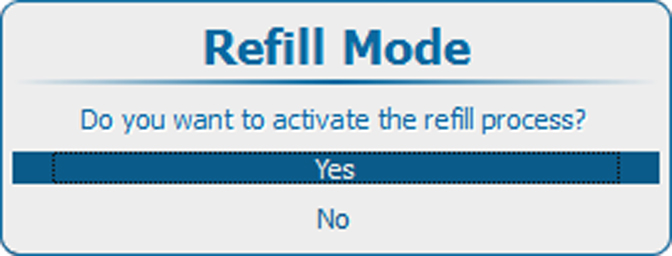
If you want to start the refill mode, select .
If you do not want to start the refill mode, select .