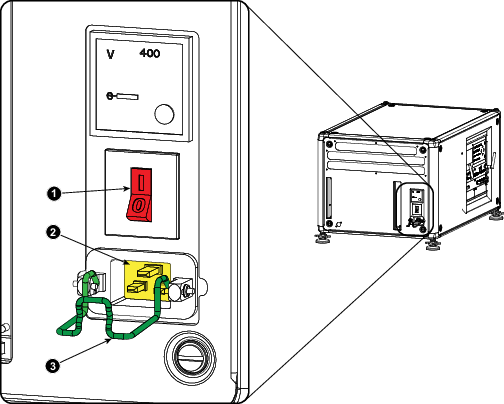
Caution: Use only the power cord supplied with your device. When no power cord for your region/country is provided, contact your dealer. The power cord must be suited for the electrical ratings indicated on the product ID label. Only power cords according to the local electrical code regulations can be used.

Caution: Once the projector is switched to standby, the lamp cooling fans will continue to run for approximately five minutes to ensure that the projector and lamp have sufficiently cooled, at which point the fans will automatically decrease to standby. To avoid thermal stress that can lead to premature lamp failure, never unplug the power cord while the lamp cooling fans are running. Never unplug the power cord to power down the projector, first switch off the power switch and then unplug the power cord.
Fuses
The projector is protected with an automatic circuit breaker of 20 A which is built into the power switch.
The voltage meter is protected with a fuse (1A) which is located on the neutral bonding cable. If necessary to replace this fuse, consult a service technician.