
How to select
- Press Menu to activate the menus and select → .
Press ENTER.
The menu is displayed with the actual available sources filled out.
Use the ▲ or ▼ key to select an input.
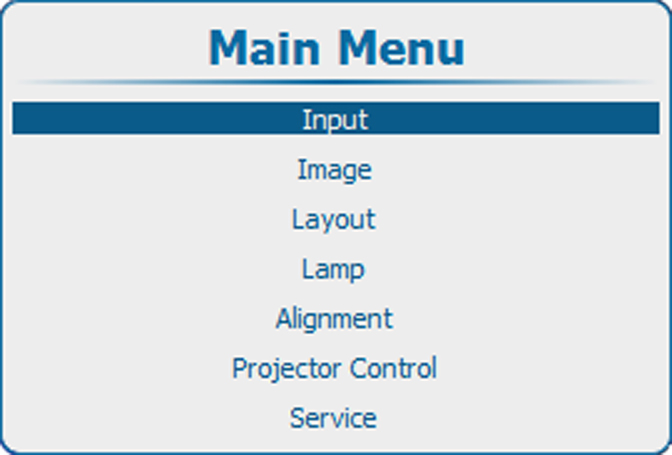
Image 9–1 Main window 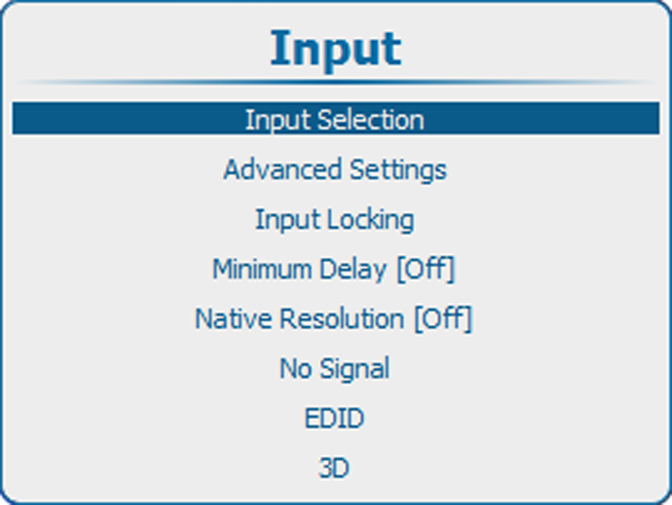
Image 9–2 Input selection 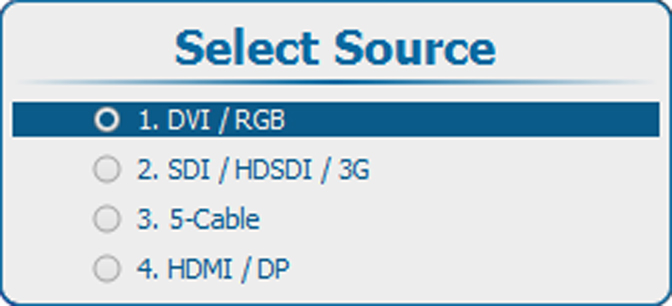
Image 9–3 Select source