About auto detection
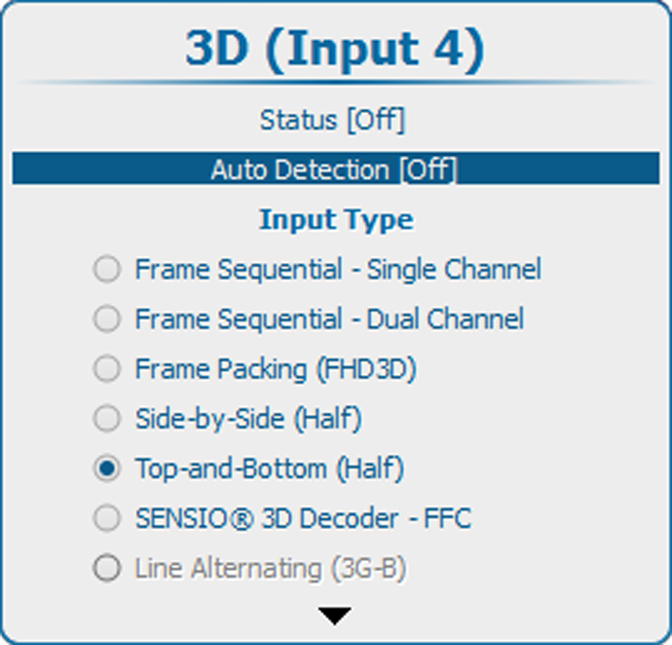
- Automatically detects the 3D format (Frame Packing, Side-by-Side, Top-and-Bottom) on HDMI sources, based on the content of the HDMI Vendor Specific InfoFrame (if present). For a detailed explanation of the HDMI vendor specific InfoFrame, refer to the HDMI 1.4a specification.
- Will select SENSIO® 3D Decoder – FFC in case Side-by-Side or Top-and-Bottom mode is detected or if no InfoFrame data is present.
- Does not support Frame Sequential modes (Single and Dual Channel).
- Is not available on other inputs (only on the inputs of the 3D input module) and will be grayed out.
Based on data in the InfoFrame and received feedback from the SENSIO® Autodetect core, the following formats (Input Type) will be selected:
| 3D format in InfoFrame | SENSIO® Autodetect feedback | Input type selected |
| Frame Packing | NA[5] | Frame Packing (FHD3D) |
| Side-by-Side | Side-by-Side or SENSIO® Hi-Fi 3D | SENSIO® 3D Decoder – FFC |
| Other | Side-by-Side (Half) | |
| Top-and-Bottom | Top-and-Bottom | SENSIO® 3D Decoder – FFC |
| Other | Top-and-Bottom (Half) | |
| No InfoFrame data present | NA[5] | SENSIO® 3D Decoder – FFC |