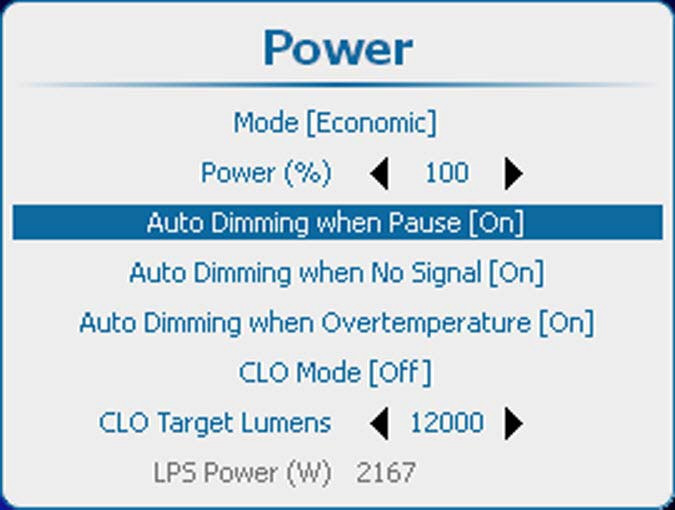
12.4 Auto dimming when on Pause

About auto dimming when on pause

When the projector is switched to pause, the shutter is closed but the lamp is still running on full power. When auto dimming on pause is activated, then the lamp power will be reduced from its current value to its minimum value. When returning out of pause the lamp power is restored to its previous value.

How to set up
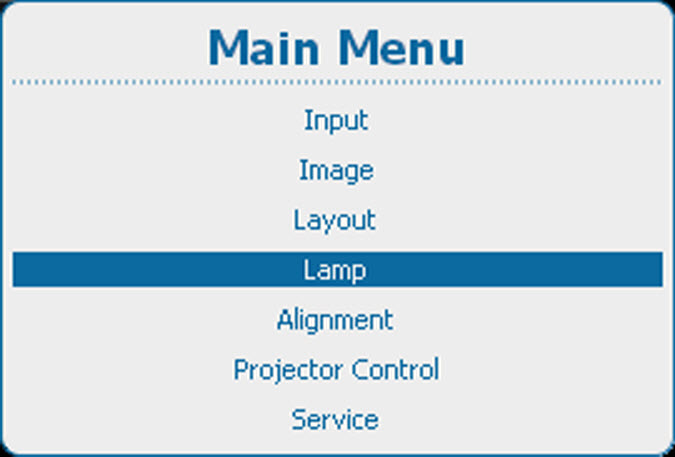
  1. Press Menu to activate the menus and select LampPowerAuto Dimming when Pause.

    Image 12–7 Main menu, lamp
    Image 12–8 Lamp, power
    Image 12–9 Auto dimming when Pause
  2. Press ENTER to toggle between [On] or [Off].

    [On] : when switched to pause, lamp power will be reduced.

    [Off] : when switched to pause, power remains on its original value.