
15.20 Front Rack-Ears

Flow chart
Image 15–45
Concerned parts
FRONT RACK EARS S3
Necessary tools

1 x Phillips Screwdriver #2

How to remove Side Rack-Ears
  1. Loosening and removing the six (three on each side) pan head screws that secure the Rack Ears to the chassis sides.
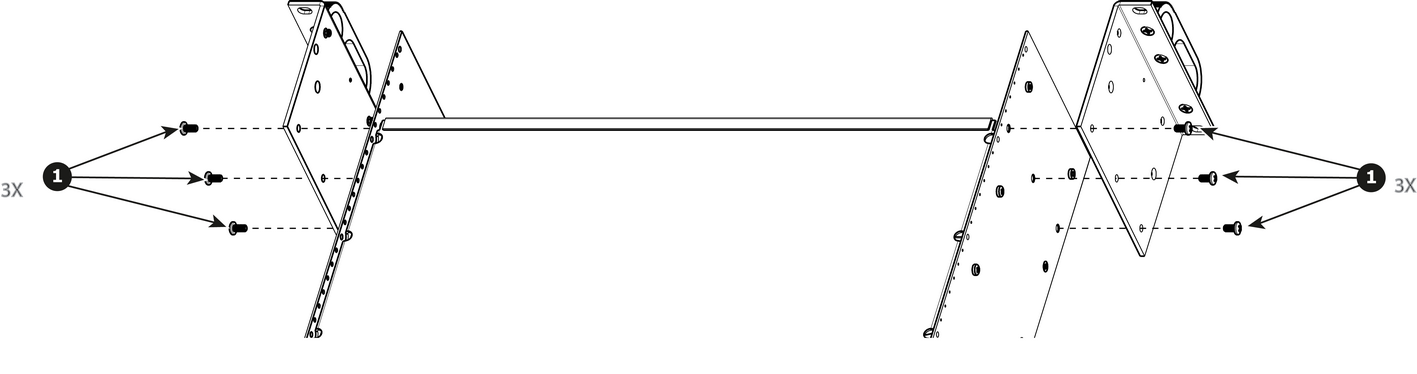
    Image 15–46
  2. Remove the Rack Ears from the Chassis.

    Note: If the front face and the front brackets were not removed before this step, the entire of these elements will be automatically detached from the chassis when you remove the Front Rack Ears. The front brackets are fixed on the Front Rack Ears, not on the chassis.
How to install Side Rack-Ears

To install the Side Rack-Ears follow the same procedure in the reverse order.