15.31 VFD Cable

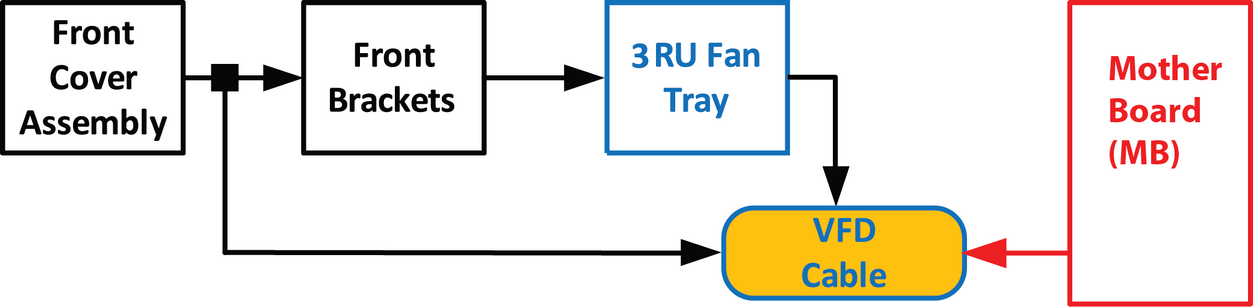
Flow chart
Image 15–79
Note: The flat ribbon VFD cable connects the VFD assembly (front face) to the Motherboard.
Note: One end of the flat ribbon VFD cable is clamped between the Motherboard and the Motherboard mount. Remove this cable requires to separate these parts.
Concerned parts
S3 Cable Kit Set
Necessary tools
How to remove the VFD Cable
  1. Remove the front panel assembly and pull it away to expose the cables behind it (refer to the related procedure).
  2. Push out the side latches on VFD connector to release the VFD cable.

    Image 15–80
  3. Remove the front bracket and the 3RU Fan tray in order to access inside of the unit (refer to the related procedures).
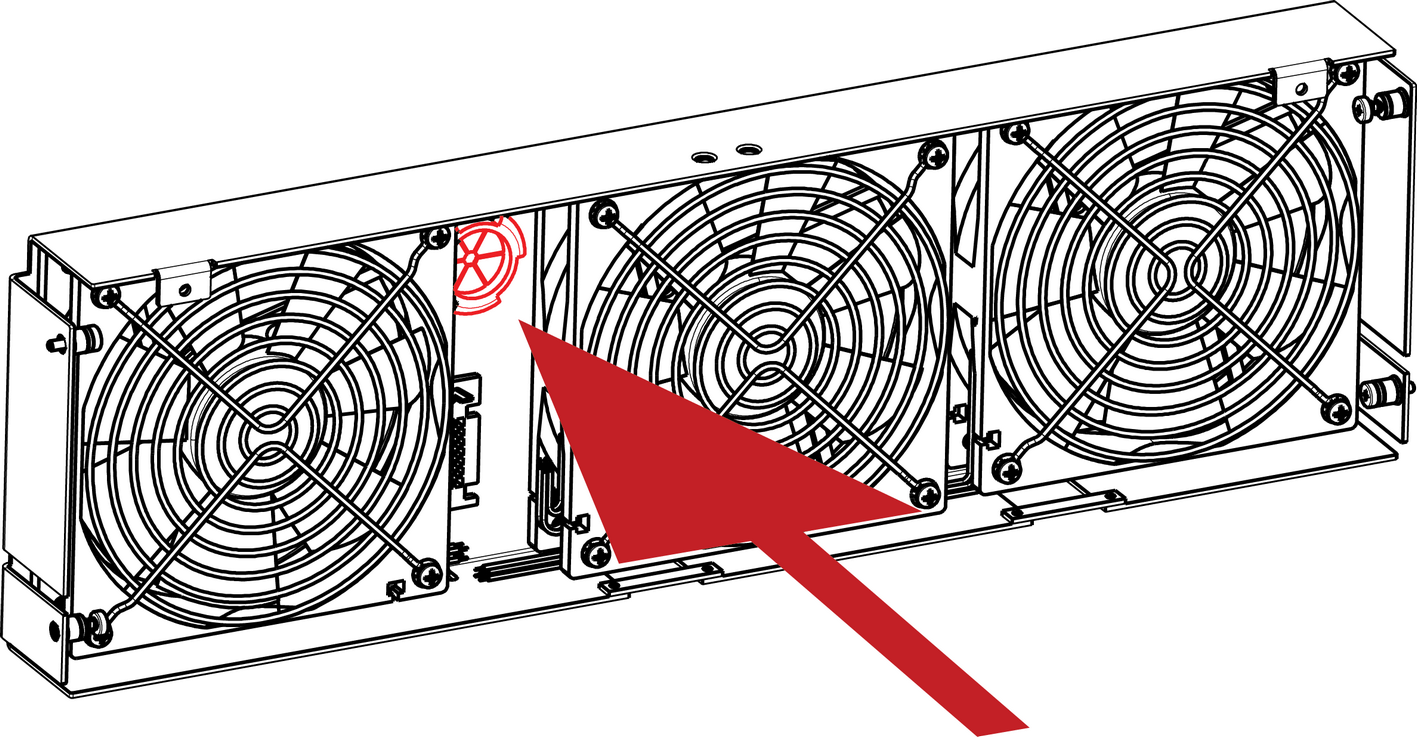
  4. Gently push the cable through the grommet located in the 3RU Fan tray.

    Image 15–81
    Note: From this step, only the other end of the VFD cable stays connected to the motherboard. Unfortunately it is necessary to remove the motherboard from the motherboard mount to unplug it. (refer to the “Process Overview”).
  5. Remove the following parts to access the motherboard :

    • Rear cards (VPU, Link, I/O)
    • CPU module.
    • Link card interposer.
    Note: Refer to the related procedures to remove these parts. Remove these parts requires removing lot of parts from the unit (Power supply, Power interposer, Power supply guide, Side Support Plate ...)
    Note: It is not necessary to remove the solid state memory, the system battery and the other cables to give access to the motherboard fixing screws.
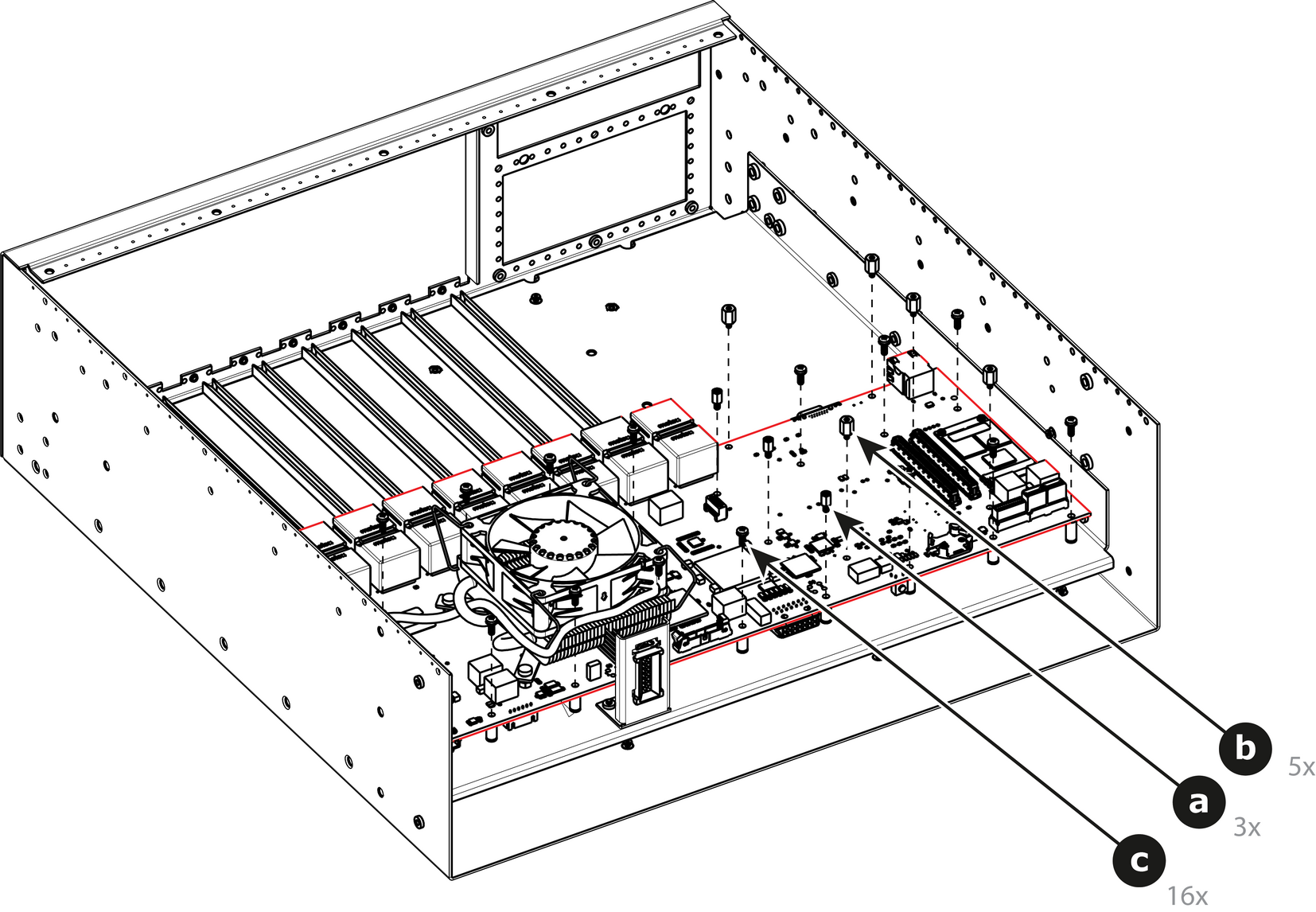
  6. Remove the Motherboard from the Motherboard mount.

    1. Remove the three m/f standoffs (4-40 X 3/16” .25” ) that attach the Motherboard to the Motherboard mount.
    2. Remove the five m/f standoffs (m2.5 X 8mm) that attach the Motherboard to the Motherboard mount.
    3. Remove the sixteen long pan head SEMS screws (4-40x.31” — SEMS refers to an integrate lock washer) that attach the Motherboard to the Motherboard mount.

      Image 15–82
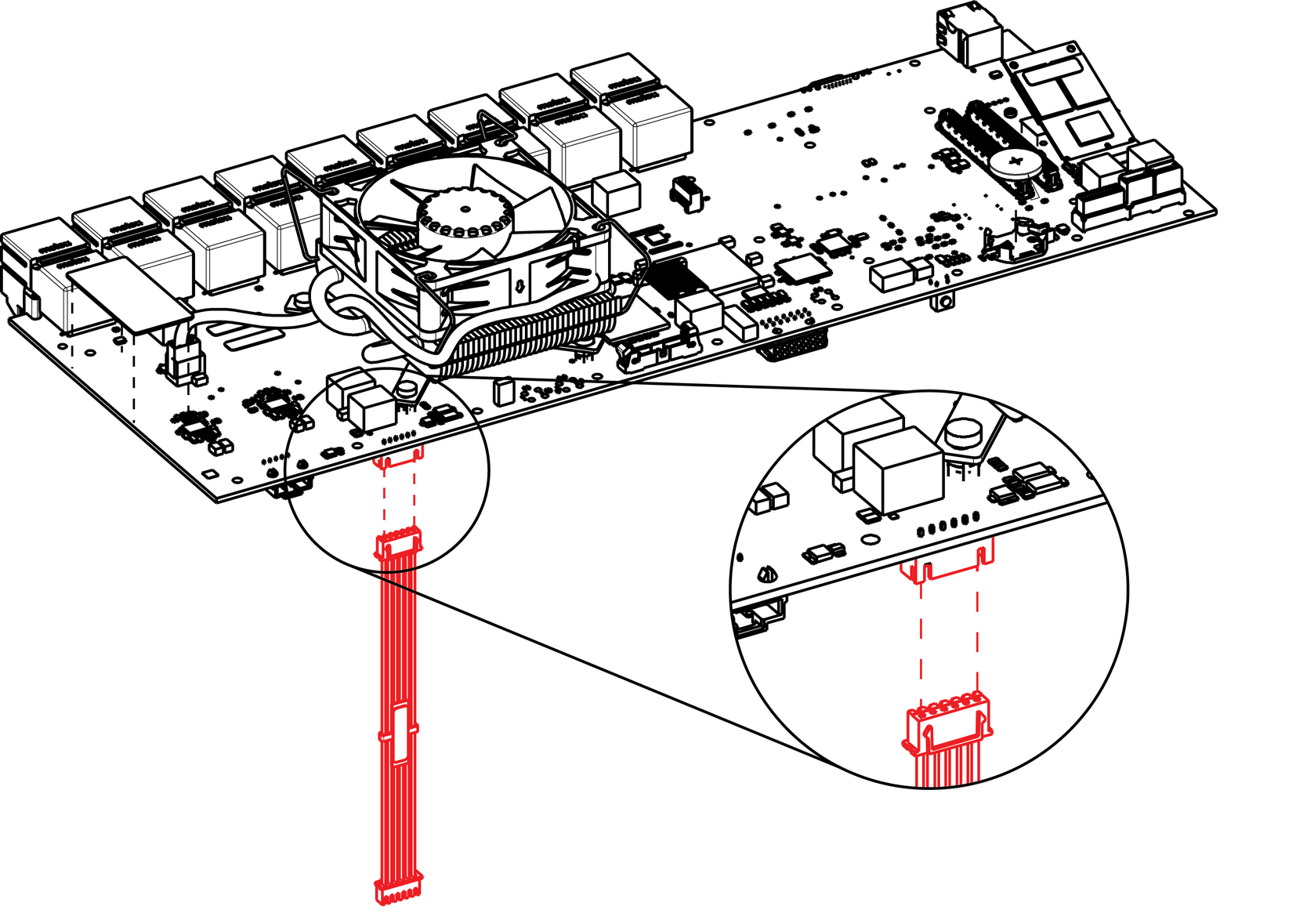
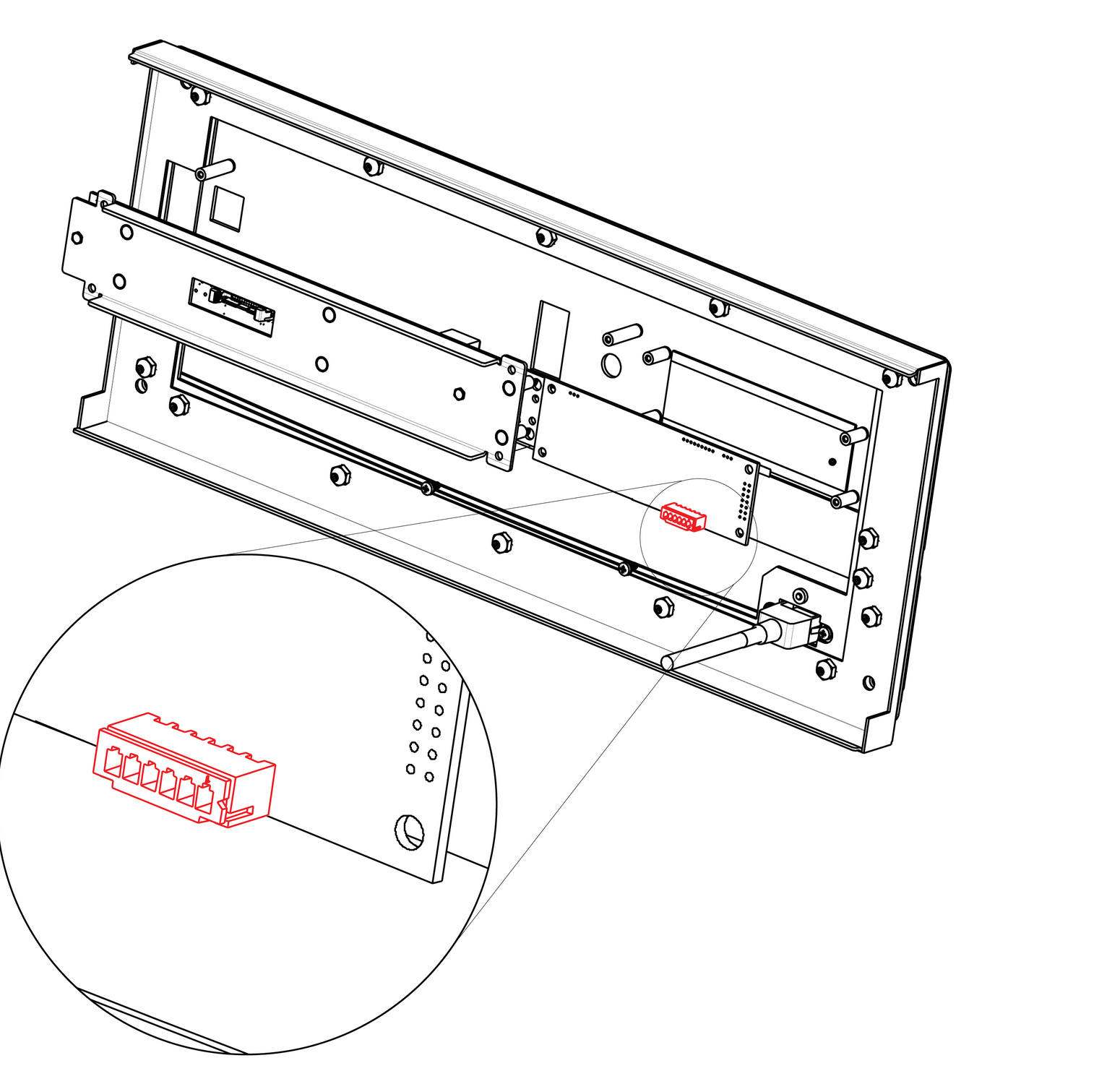
  7. Locate the VFD cable that is plugged on the Motherboard.

    Image 15–83
  8. Unplug the VFD cable.
  9. Pull the cable out of the unit .
How to install the VFD Cable

To install the VFD Cable follow the same procedure in the reverse order.