Given the low failure rate experienced on this device, it is extremely rare to have to change parts on the EC-200/EC-210 controller.
Note: In the unlikely event your EC series controller requires service, please refer to the Return Material Authorization section in this manual prior to sending the unit back to the Barco Service Department.
The only part that the user may have to change by himself is the work light . The work light is a spare part provided by Barco (see spare parts list below).
EC-200/EC-210 Overview
Orientation and main components.
Note: The images in this chapter show the EC-200, but they apply, as well, to the EC-210. The EC-200 and EC-210 are basically the same product.
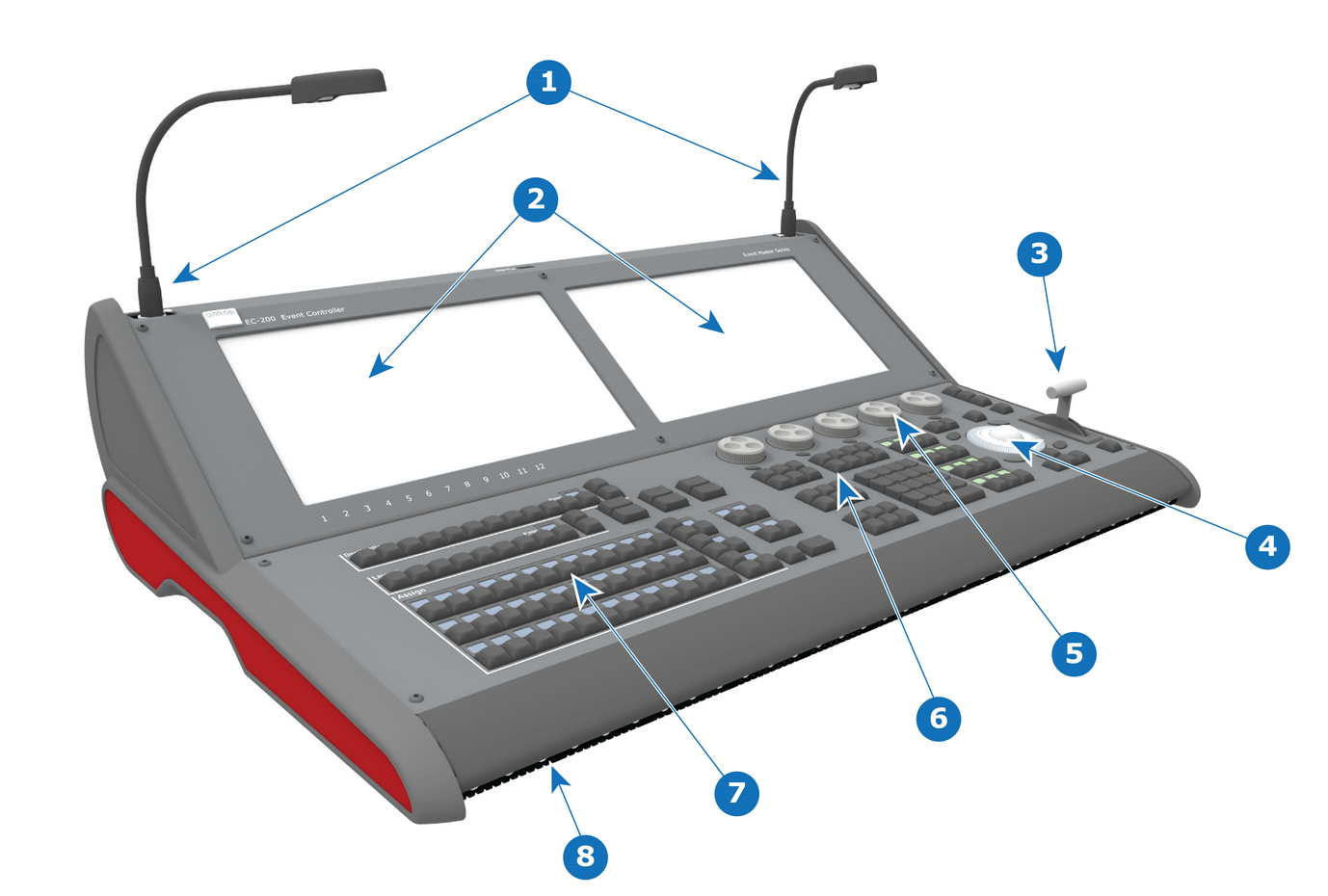
Front:
Image 19–1EC-200/EC-210 controller (Front view)
1
Work lights
2
Touch screens
3
T-bar
4
Mouse + arrow buttons
5
Rotary knobs
6
Function buttons, Top Functions and Numpad
7
Buttons of presentation (Destinations, Layers,...)
8
Front LED Lights
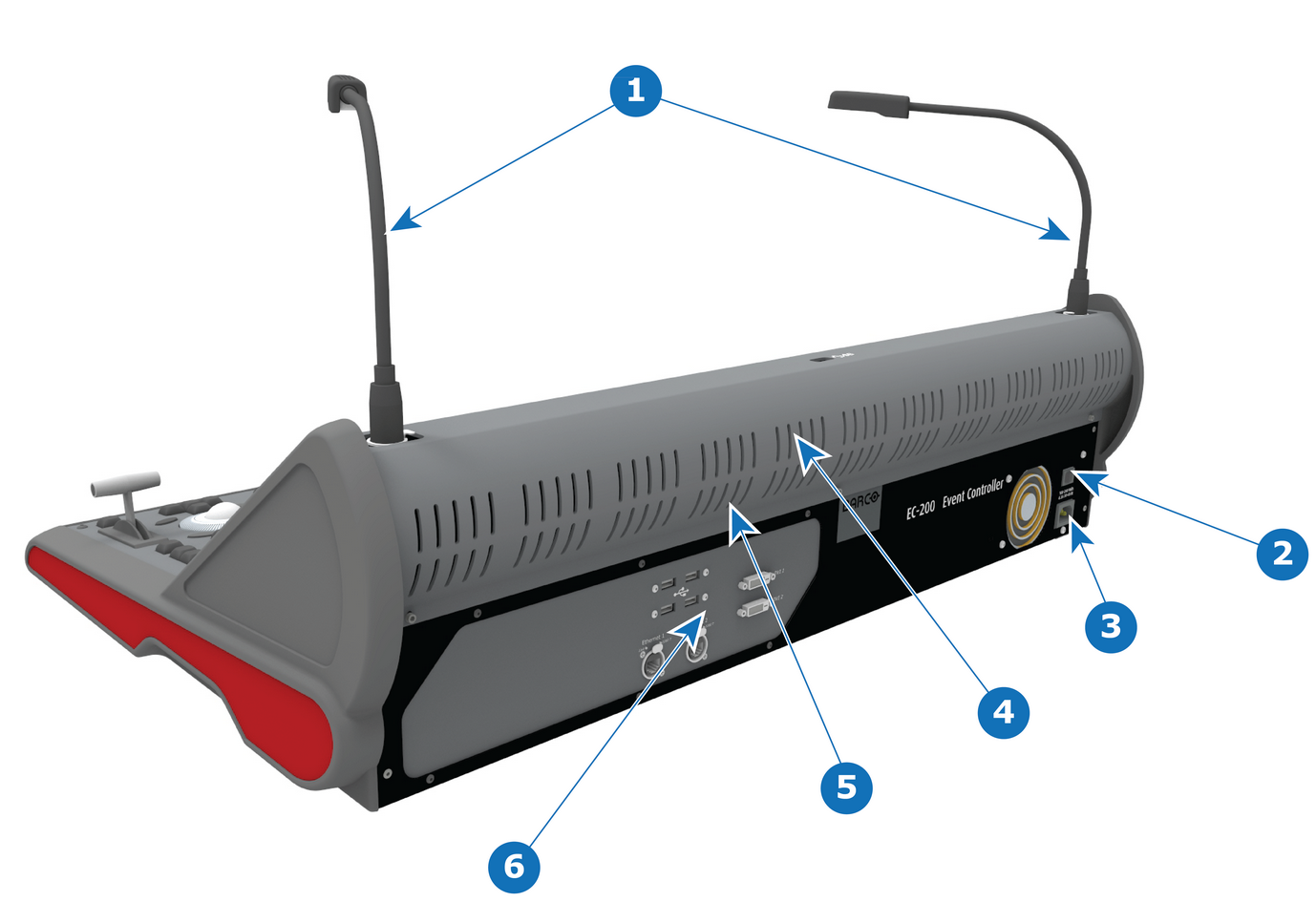
Rear:
Image 19–2EC-200/EC-210 controller (Rear view)
1
Work lights
2
Power switch
3
Power connector
4
Rear Fan (Located behind rear vent holes)
5
Rear LED Lights (Located behind rear vent holes)
6
Communication connectors
EC-200/EC-210 Spare Parts list
Description
Comments
KIT DESKLIGHT EC-50
1x work light (flexible support with XLR connection)