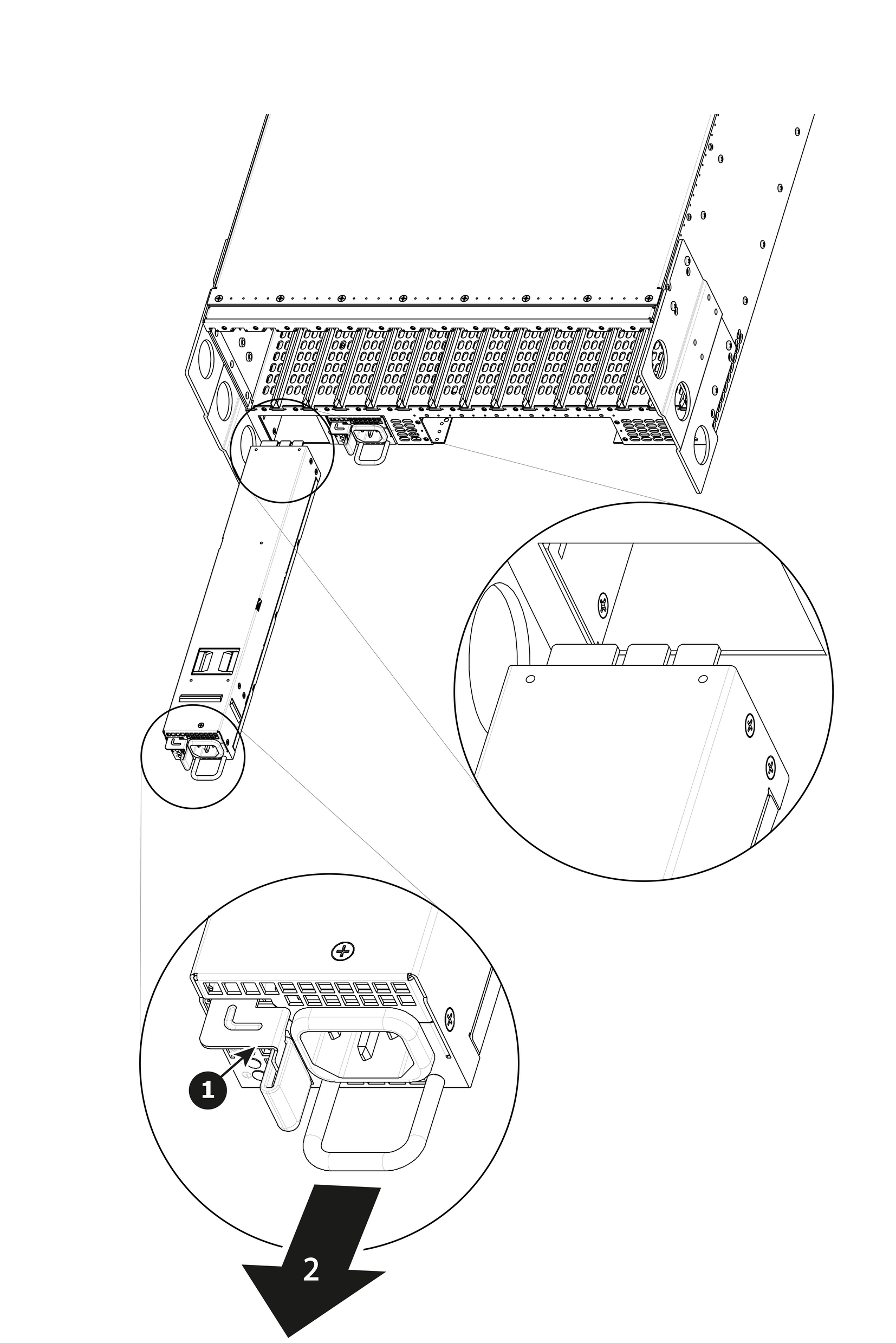
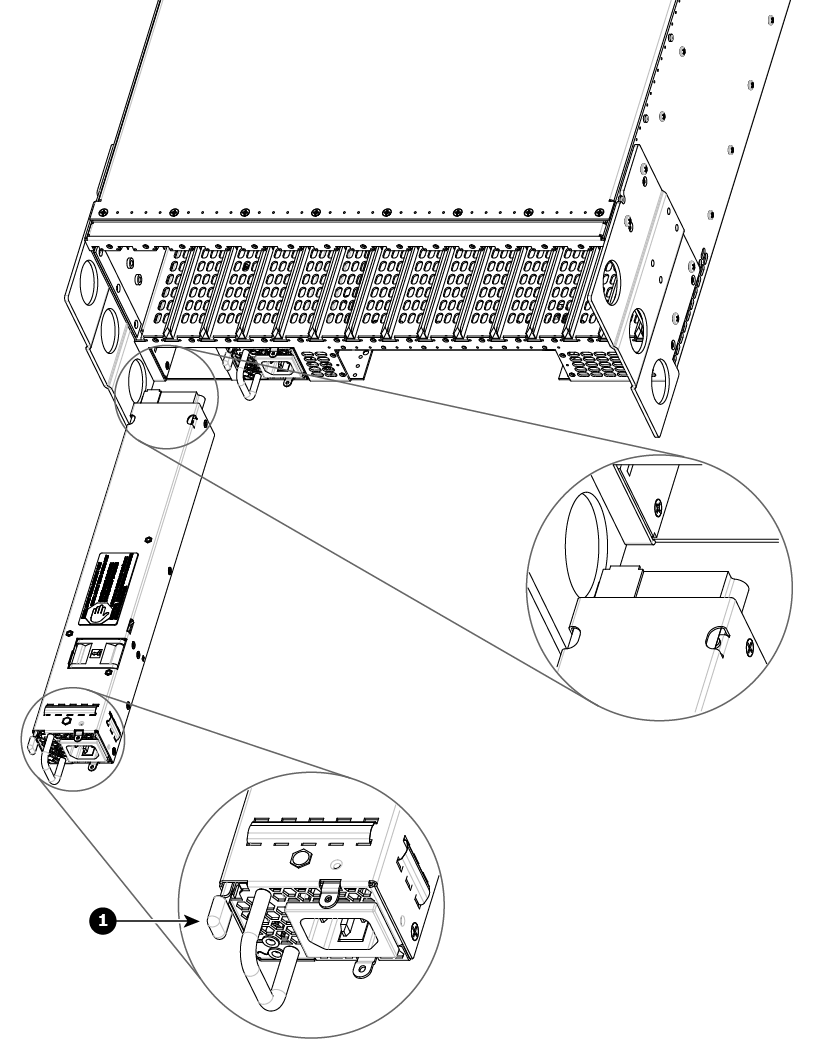
How remove Power SupplyPush the latch towards the right.Image 14–61 Gen 1 power supplyImage 14–62 Gen 2 power supplyPull the Power supply out of its slot by pulling on the handle.
How to install Power SupplyInsert the Power Supply into the slot.Note: On the Gen 1 power supply, the card edge should be at the top of the power supply, as shown in Image 14–61.On the Gen 2 power supply, the connector should be at the top of the power supply, as shown in Image 14–62.Push the power supply completely inside the slot. Apply a little pressure by using the handle until the power supply is fully inserted.