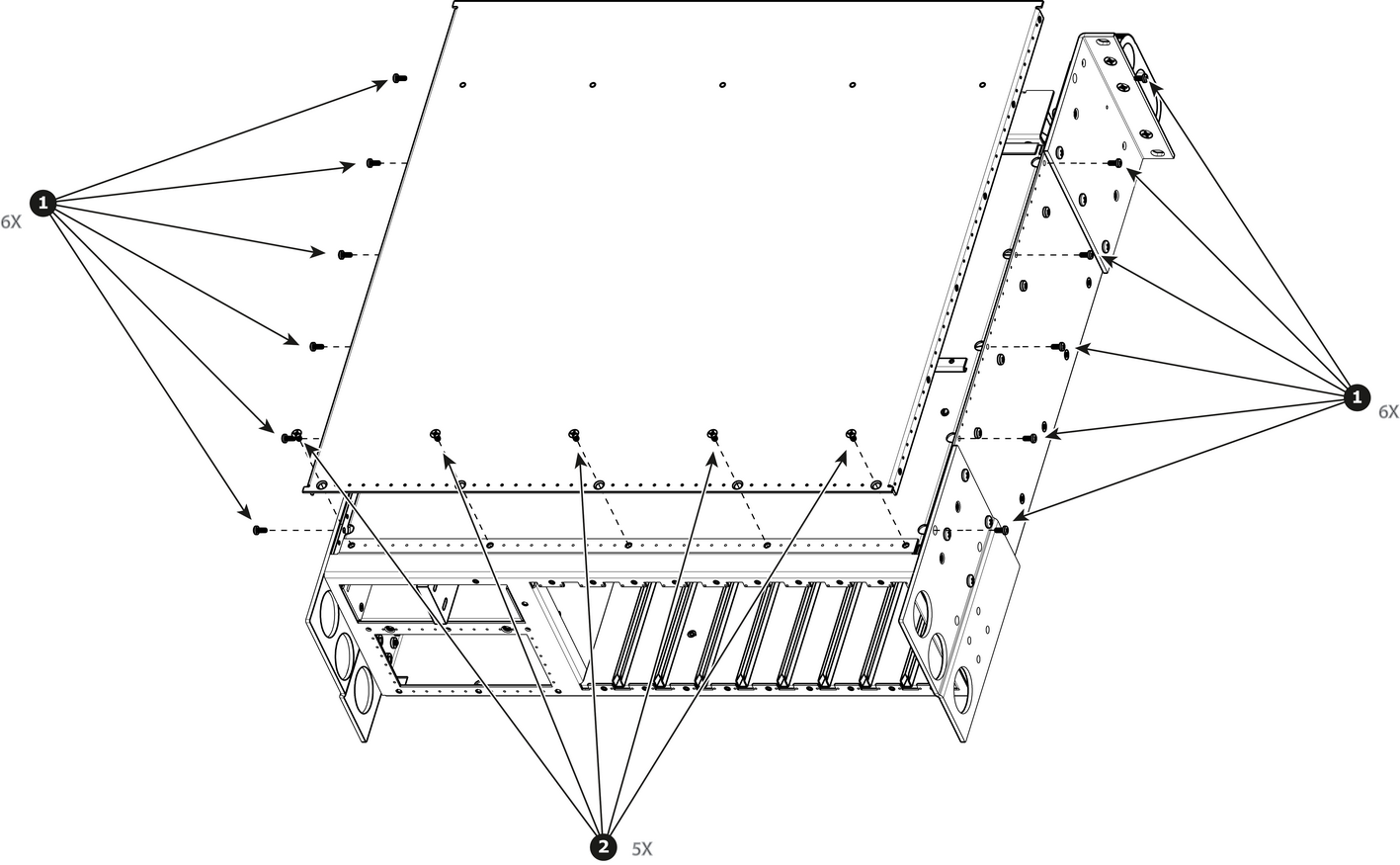
How to remove Top CoverRemove the 12 screws from the two sides (6 in each side, 4-40x0.25) that are located towards the top side of the unit.Image 15–48 Remove the 5 screws (6-32x0.25) located on the top at the back of the chassis.Remove the cover by gently pulling it away from the unit.