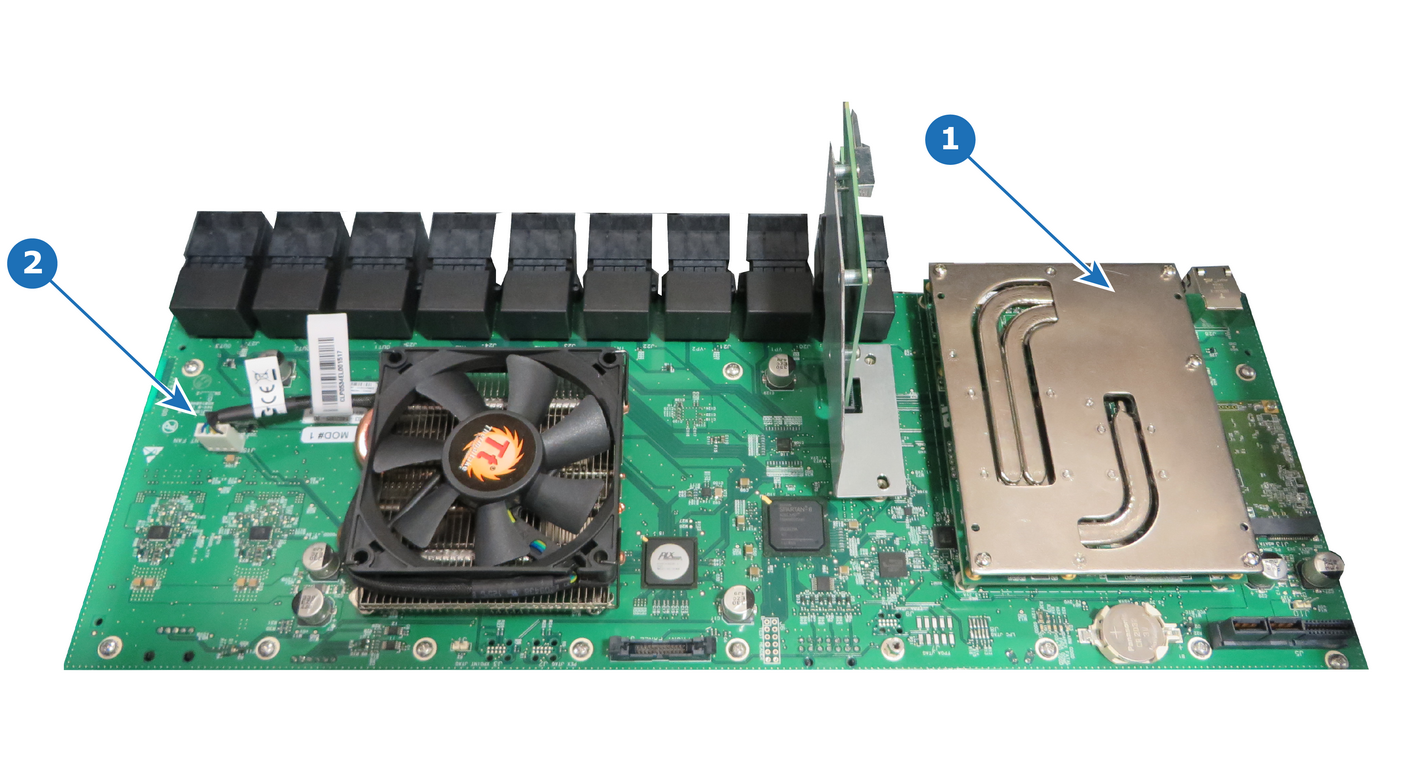
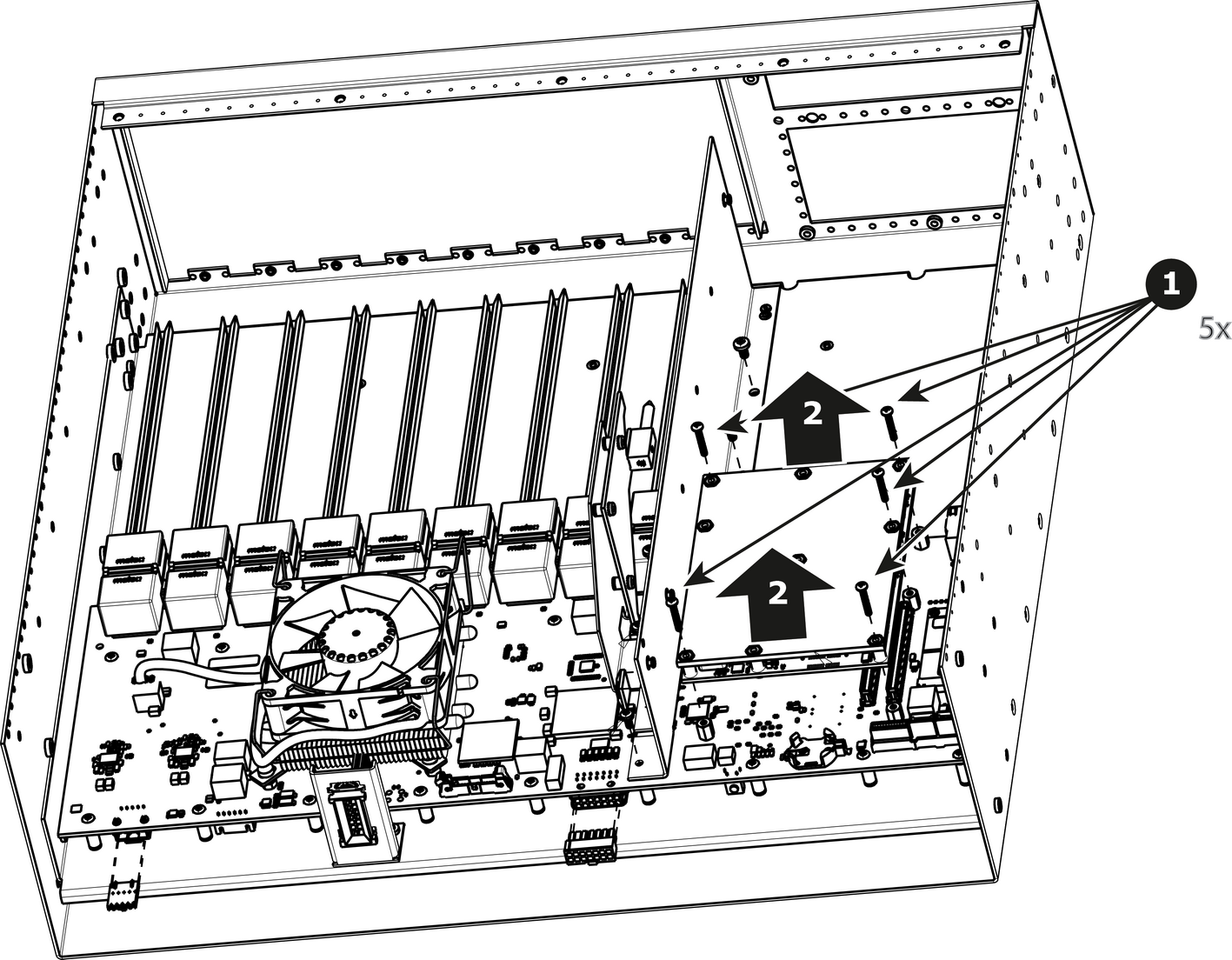
How to remove CPU ModuleRemove the five screws that attach CPU module to the system card.Carefully remove the CPU module by lifting it up.Image 15–71
How to install the CPU moduleTo install the CPU module follow the same procedure in the reverse order.Note: Install the CPU Module by rocking left and right while applying pressure on the connectors.