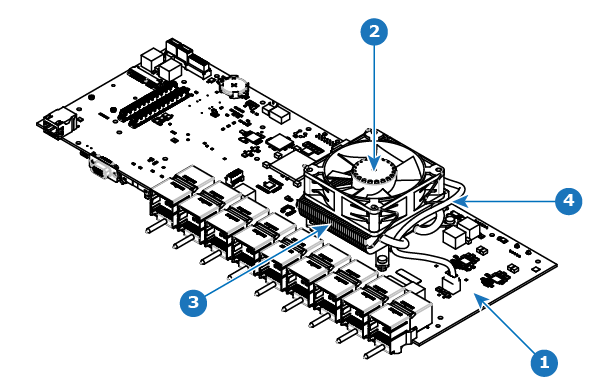
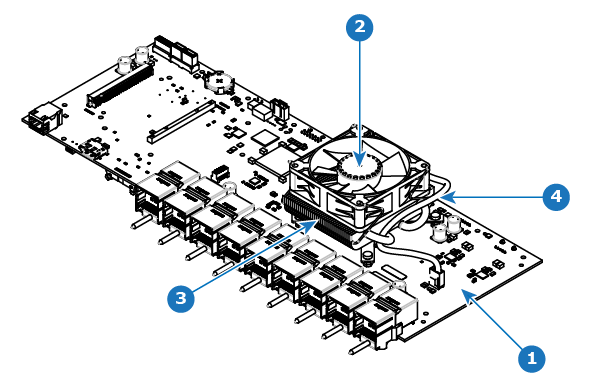
OverviewImage 15–52 shows the S3 COMEXPRESS CPU motherboard with fan. Image 15–53 shows the S3 Q7 CPU motherboard with fan.Image 15–52 S3 COMEXPRESS CPU motherboard with fan1Motherboard2Fan3Heatsink4Fan power cableImage 15–53 S3 Q7 CPU motherboard with fan1Motherboard2Fan3Heatsink4Fan power cable
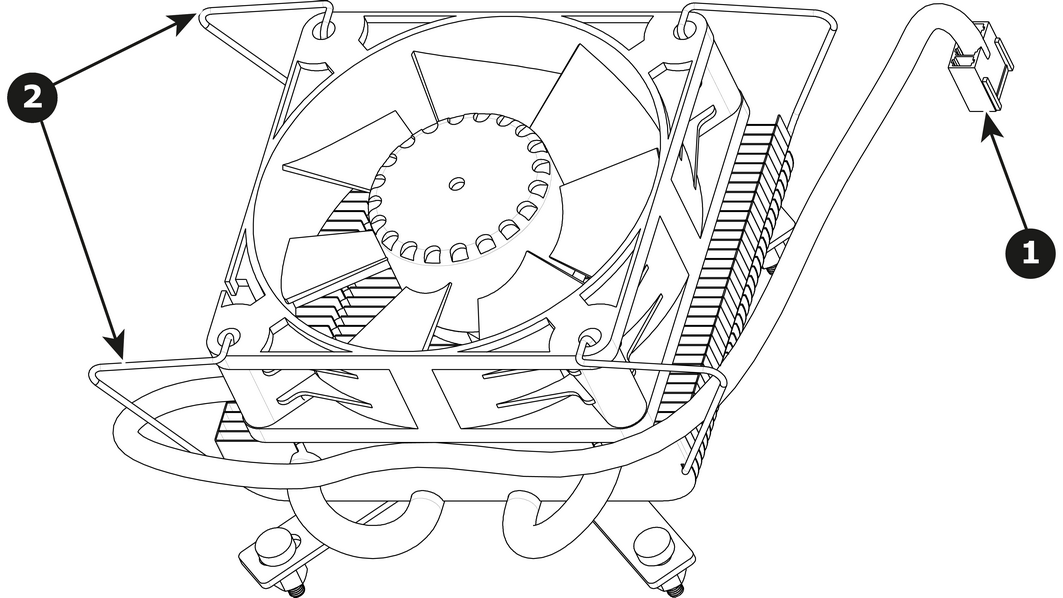
How to remove Motherboard FanRemove the cable that provides power to the heatsink fan.Lift the two handles to release the fan from the heatsink.Image 15–54 Lift the fan away from the heatsink.
How to install Motherboard Fan Remove the fan from the Heatsink/Fan spare kit.Using the clips install the fan on the top of the heatsink that is on the motherboard.Connect the fan power cable to header xxx located on the motherboard.Note: Disregard the heatsink from the spare kit.