
6.6 Controls
Edit box
Edit box is used to edit the values or names.

Properties:
- By double clicking, the background changes to a dark blue color indicating that modifications can be made.
- The cursor is placed on the last character.
- The eraser button allows deletion of all the characters in the edit box.
Slider box
The slider allows modification of the value with slider.

Properties:
- Slide the cursor to modify the value.
- The value can also modified by clicking the + or – symbols.
Drop-down menu
A drop-down menu allows the user to choose one value from a list.

The active drop-down menu, shown in Image 6–5, shows the available choices.
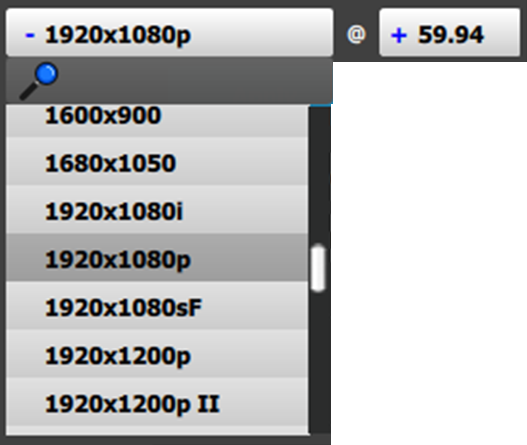
Properties:
- When clicking on the + symbol, a drop-down menu appears with the available choices.
- By typing in the space next to the magnifying glass all of the available numbers that match the typed text appear, simplifying the search effort.