Overview
This assembly is present only on the large controllers (EC-200 and EC-210).
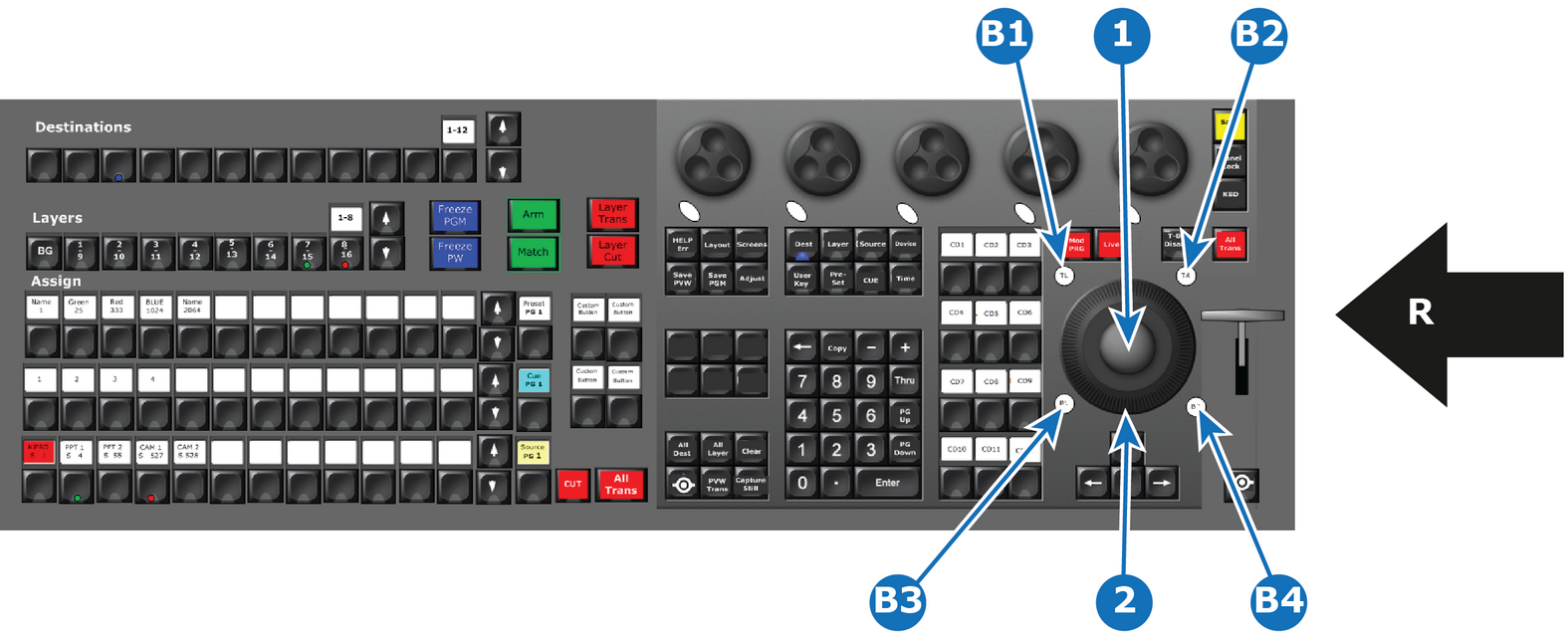
- 1
- Trackball
- 2
- Ring
- B1
- TL (Top Left ) Button
- B2
- TR (Top Right) Button
- B3
- BL (Bottom Left) Button
- B4
- BR ( Bottom Right) Button

This assembly is present only on the large controllers (EC-200 and EC-210).
This is a ergonomic control device used with thumb, finger or palm of your hand to move the cursor like with a mouse. Interaction with other parts of the interface is also possible.
Additional functionality of the Trackball and its modifiers is described in Chapter “Controller Operation”.