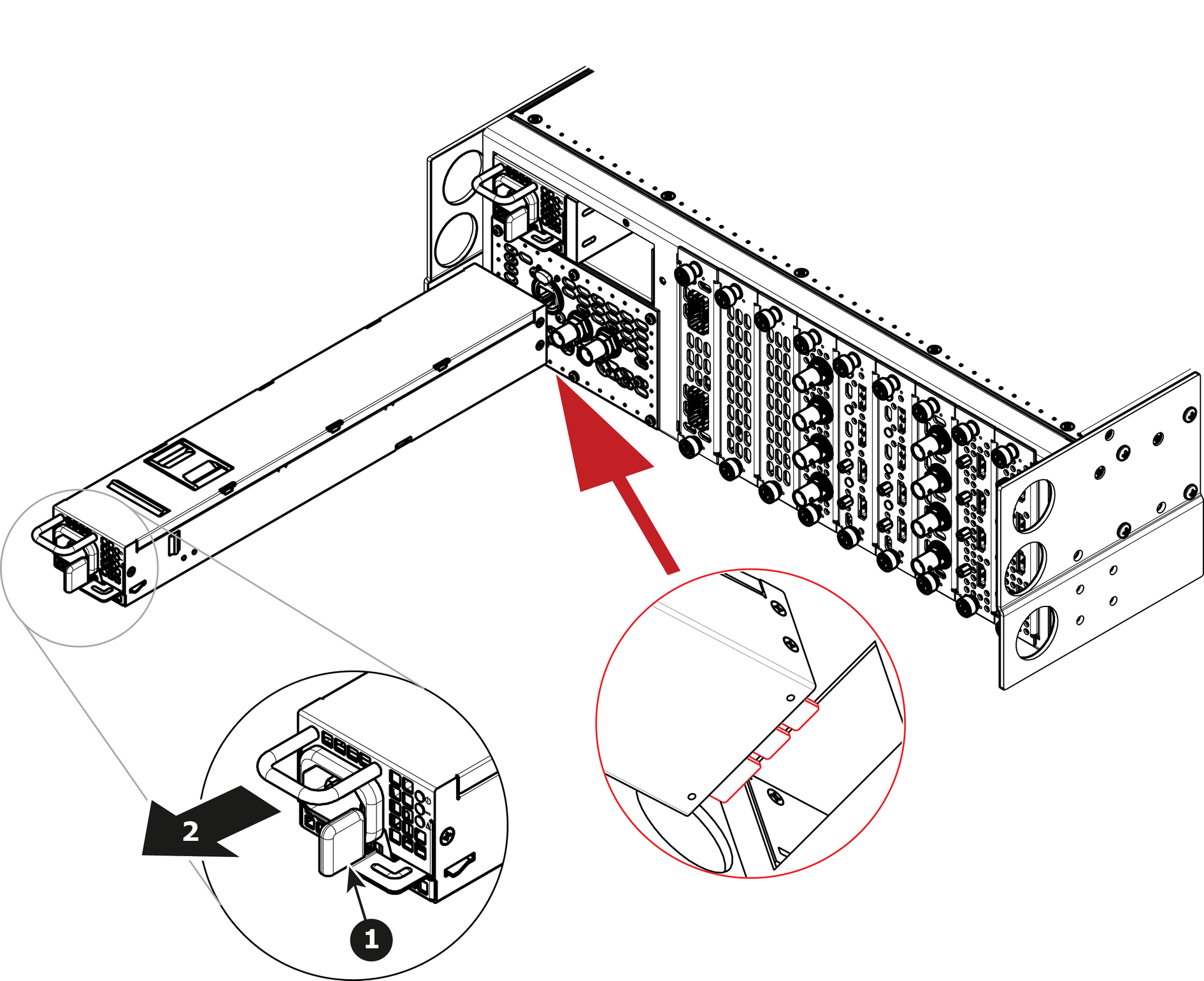
How remove Power SupplyPush the latch towards the left.Image 15–39 Pull the Power supply out of its slot by pulling on the handle.
How to install Power SupplyInsert the Power Supply into the slot.Note: The card connector (back edge) should be at the bottom of the power supply as shown in the drawing.Push the power supply completely inside the slot. Apply a little pressure by using the handle until the power supply is fully inserted.