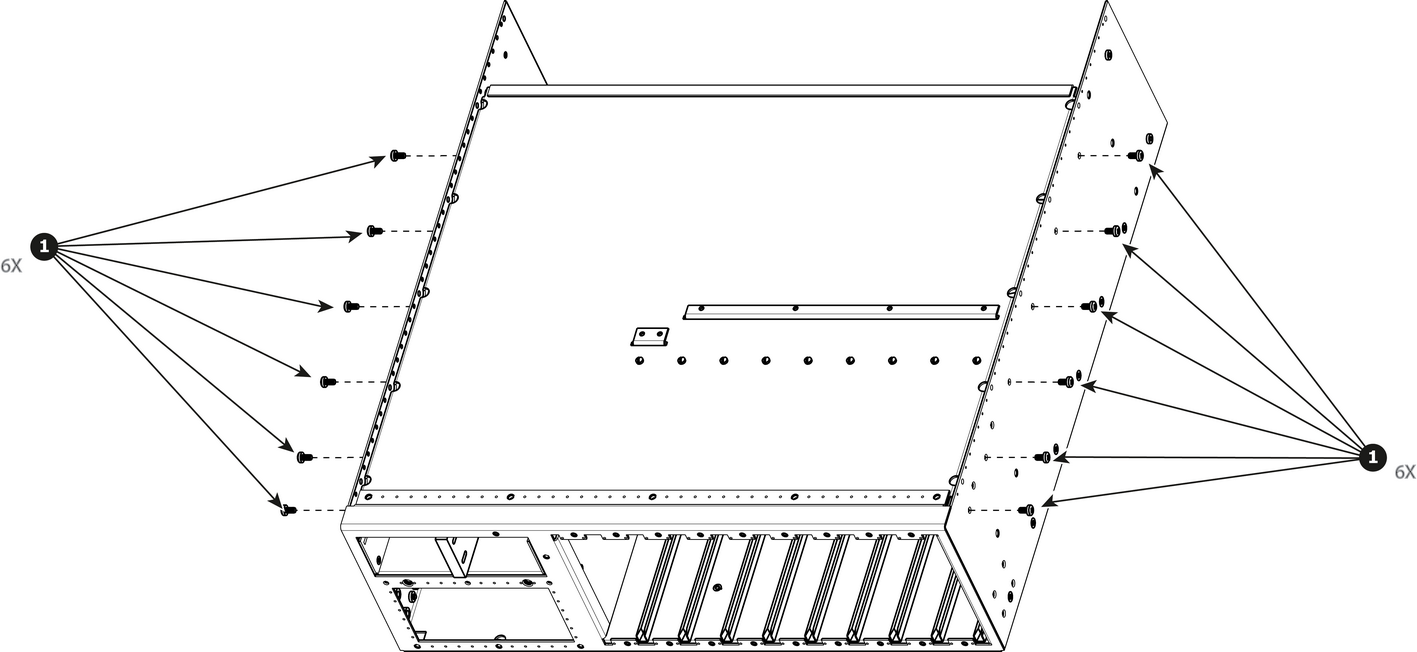
How to remove Top Card GuideRemove the 12 screws from the two sides (6 in each side, 6-32x0.25) that are located towards the bottom of the unit.Image 15–50 Remove the card guide cover by gently pulling it away from the unit.
How to install Top Card GuideTo install the Top Card Guide follow the same procedure in the reverse order.Note: When installing the guide make sure you have 2 cards from the rear installed before tightening the screws.Note: Use Loctite 242 to the screws before installing.