Prerequisites
EC-200 is delivered with Event Master Toolset revision 3.0 or higher. EC-210 is delivered with Event Master Toolset revision 6.0 or higher.


EC-200 is delivered with Event Master Toolset revision 3.0 or higher. EC-210 is delivered with Event Master Toolset revision 6.0 or higher.
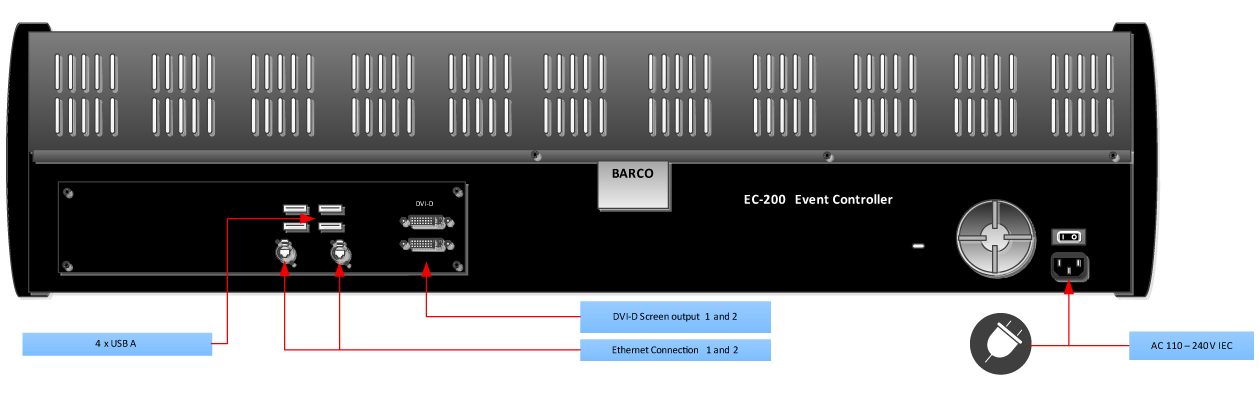
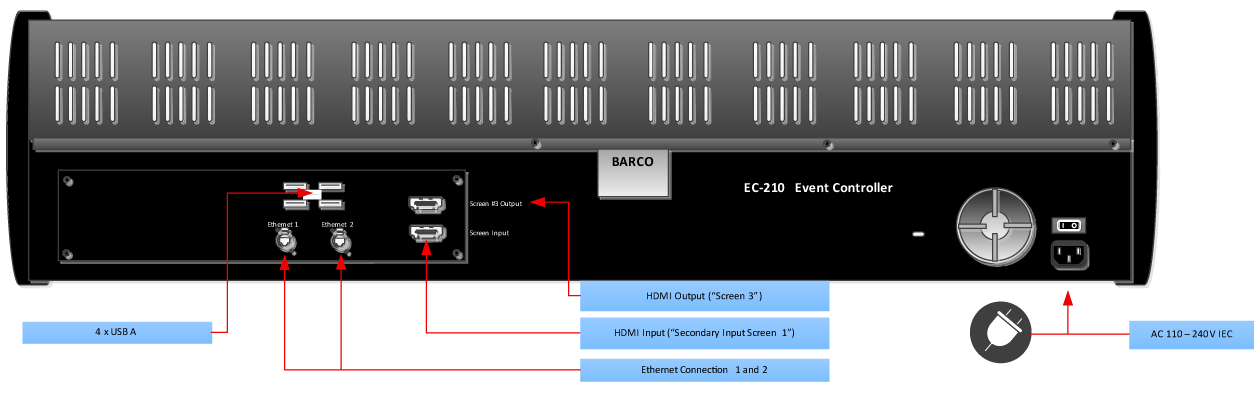
Connect the network outlet 1 to your Event Master Device Network for static IP address and outlet 2 for a DHCP assigned IP address. Plug the cord to the power outlet. Necessary cables (except a network cable) are provided in a new system. In the case that the original cables are missing, simply use standard computer cabling to make these connections.
The 4 USB connectors in the back can be used for keyboard and mouse and other supported USB devices. The USB connector in the middle of the top of the console is to be used with the USB flash drive that ships with the controller.