15.32 Keyboard Cable

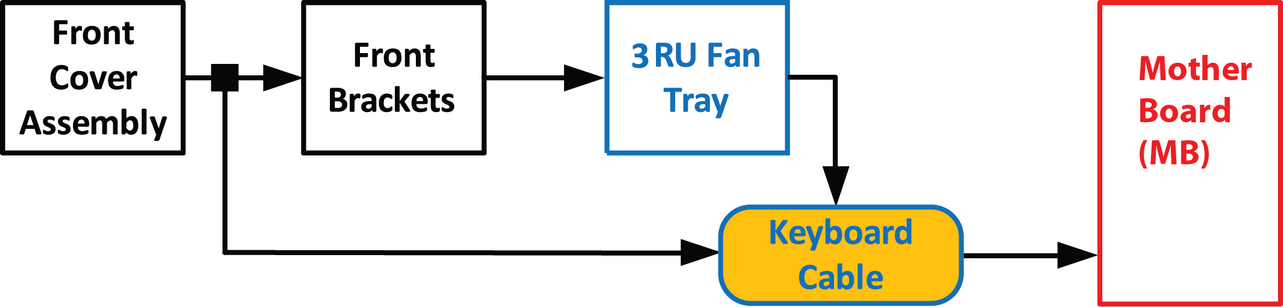
Flow chart
Image 15–84
Note: The flat ribbon keyboard cable connects the Front panel board to the Motherboard. This procedure provides instructions on how to disconnect the cable on both sides.
Overview
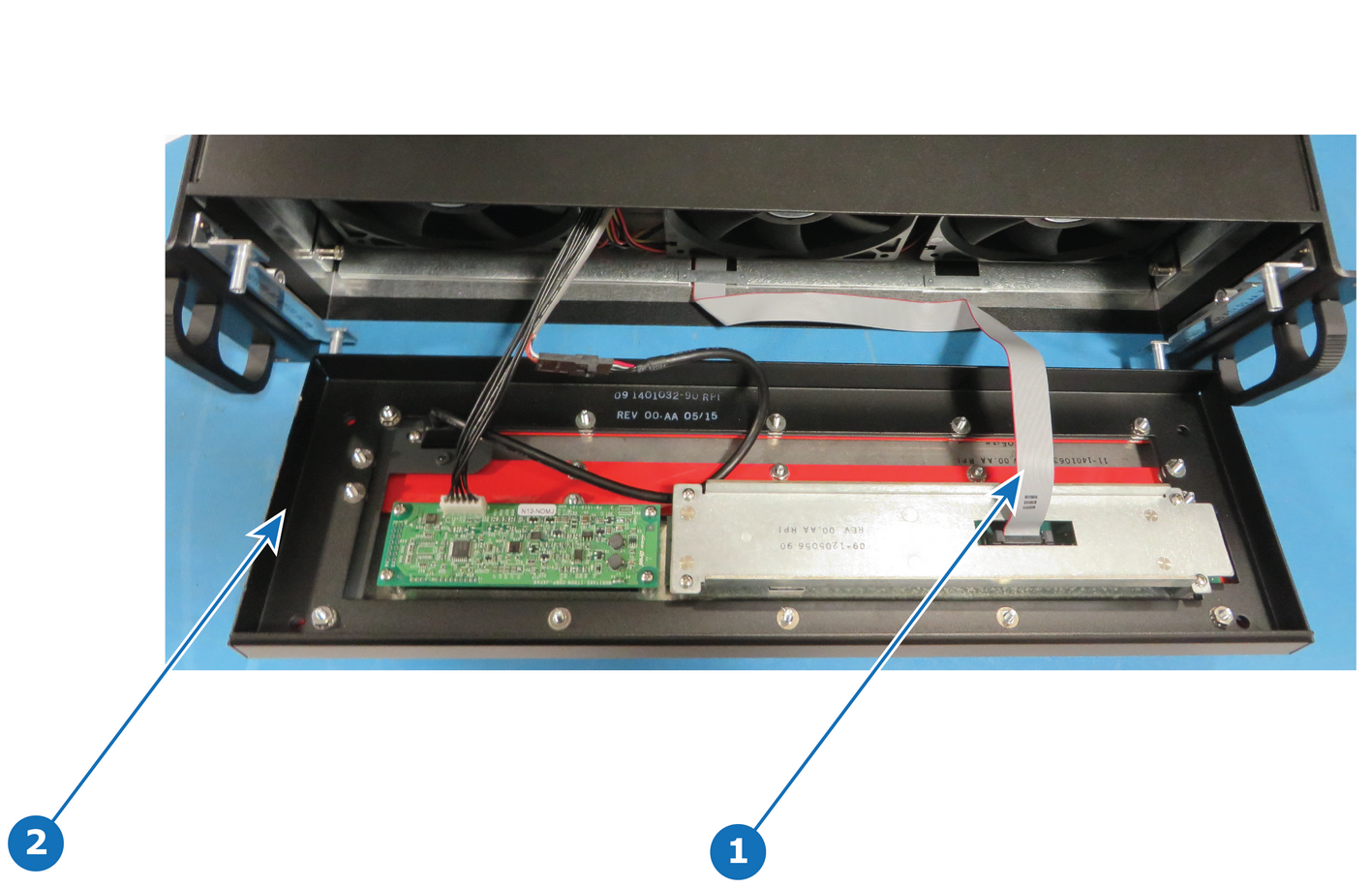
Image 15–85
1
Keyboard cable
2
Front face
Concerned parts
S3 Cable Kit Set
Necessary tools
How to remove the Keyboard cable
  1. In order to access the motherboard, follow the steps detailed in the other procedures to remove the Front Cover Assembly, Front brackets and 3RU Fan Tray. Make sure that the Keyboard Cable is disconnected from the Front Panel board.
  2. Locate the keyboard connector and push the latches out to release the cable.
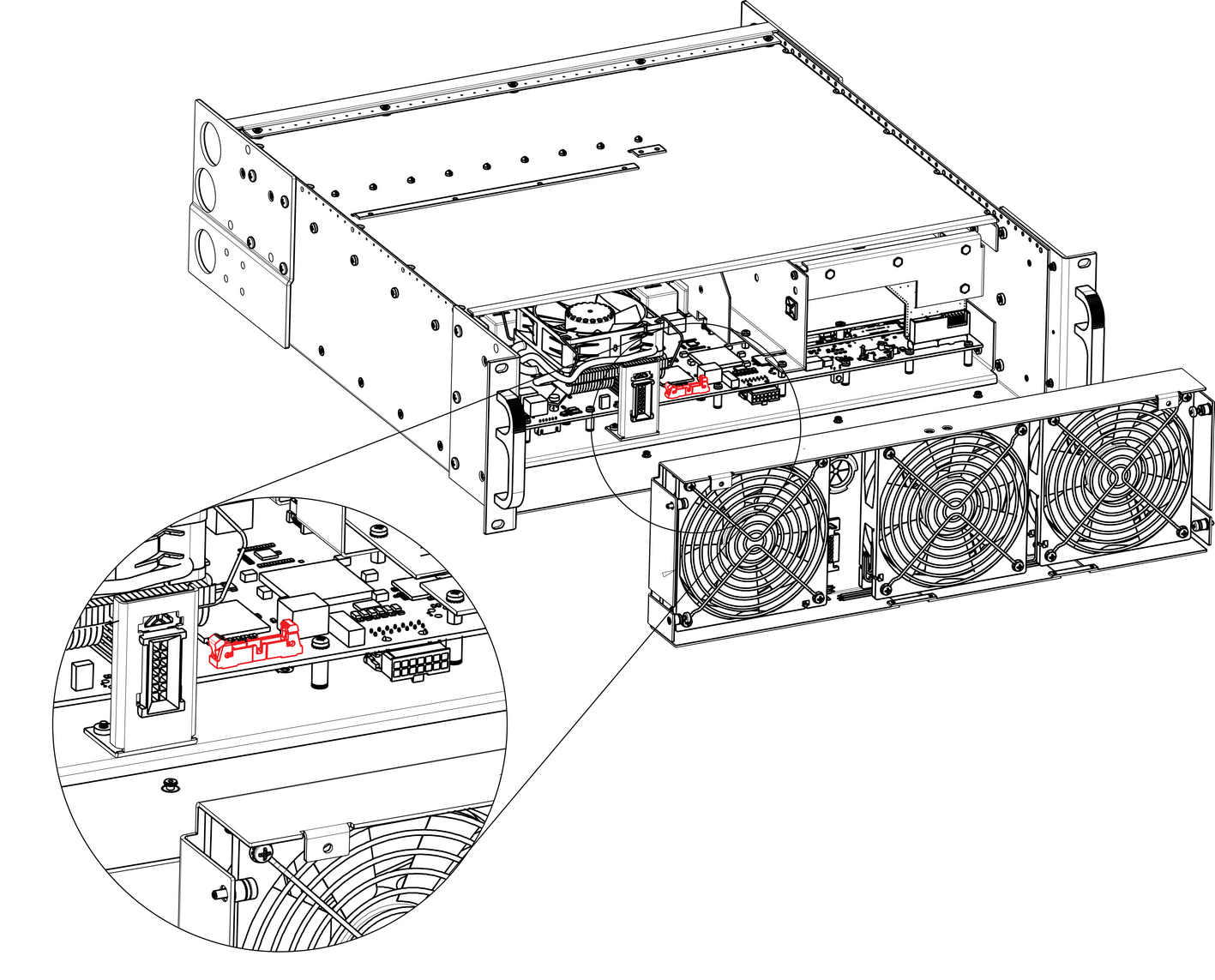
    Image 15–86
  3. Pull the cable out of the unit .
How to install the Keyboard Cable

To install the Keyboard Cable follow the same procedure in the reverse order.
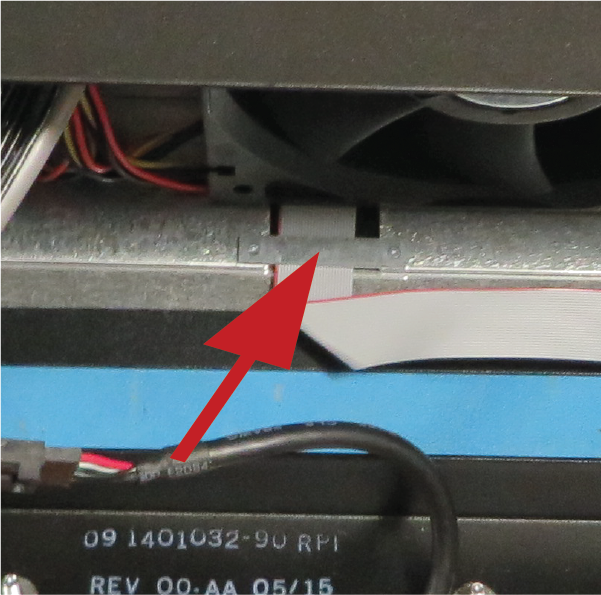
Note: There is a key on the connector to prevent incorrect insertion of the cable.
Note: During assembly, make sure that the keyboard cable goes through the slot located on the bottom side of the 3RU Fan tray.
Image 15–87