16.8 CPU Module

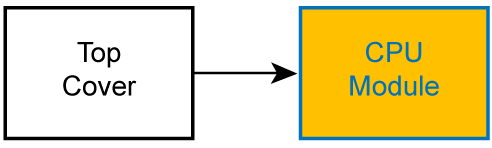
Flow chart
Image 16–11 CPU module
Overview
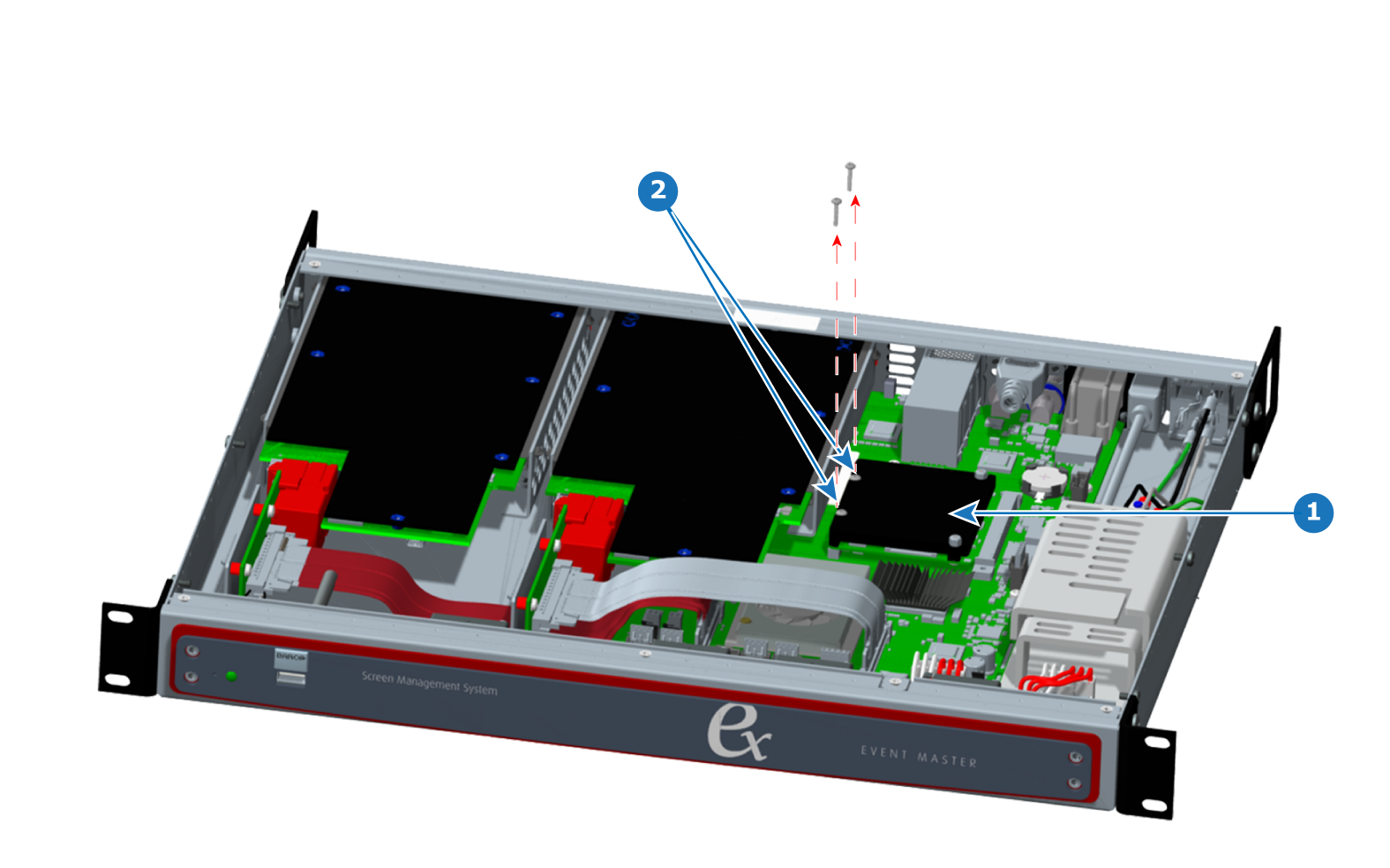
Image 16–12 CPU module components
1
CPU module
2
CPU module screws
Concerned parts
Motherboard fansink
Necessary tools

1x Phillips Screwdriver #1

How to remove the CPU module
  1. Remove the top cover.
  2. Remove the two screws from the side of the CPU module that is closest to the Event Master card slots.
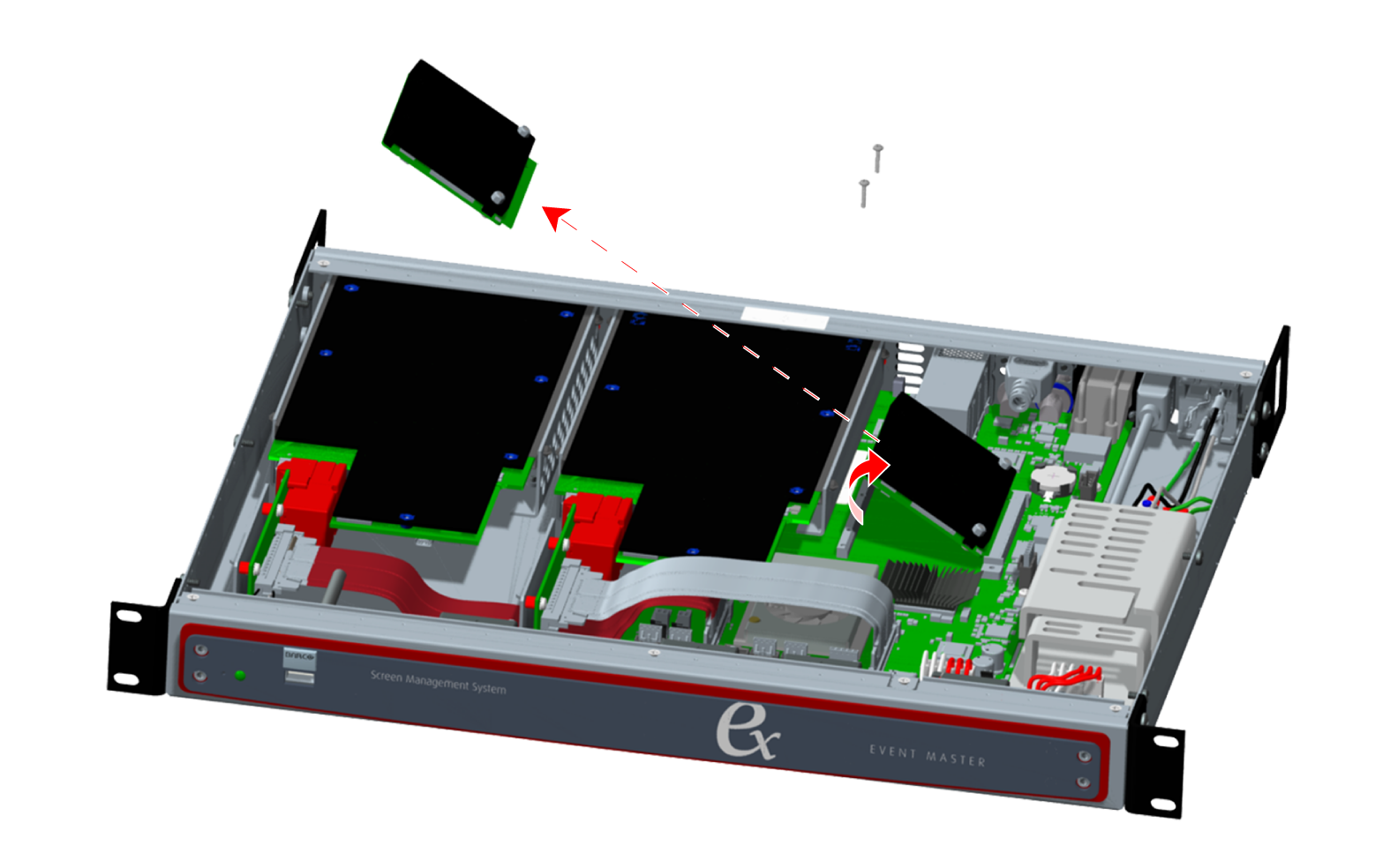
    Image 16–13
  3. Lift the freed edge of the CPU module, and pull it gently from the CPU-module connector on the motherboard.
  4. Remove the CPU module from the chassis.
How to install the CPU module

To install the CPU module in the EX chassis, follow the steps of the removal procedure in reverse order.