EC-50 Overview
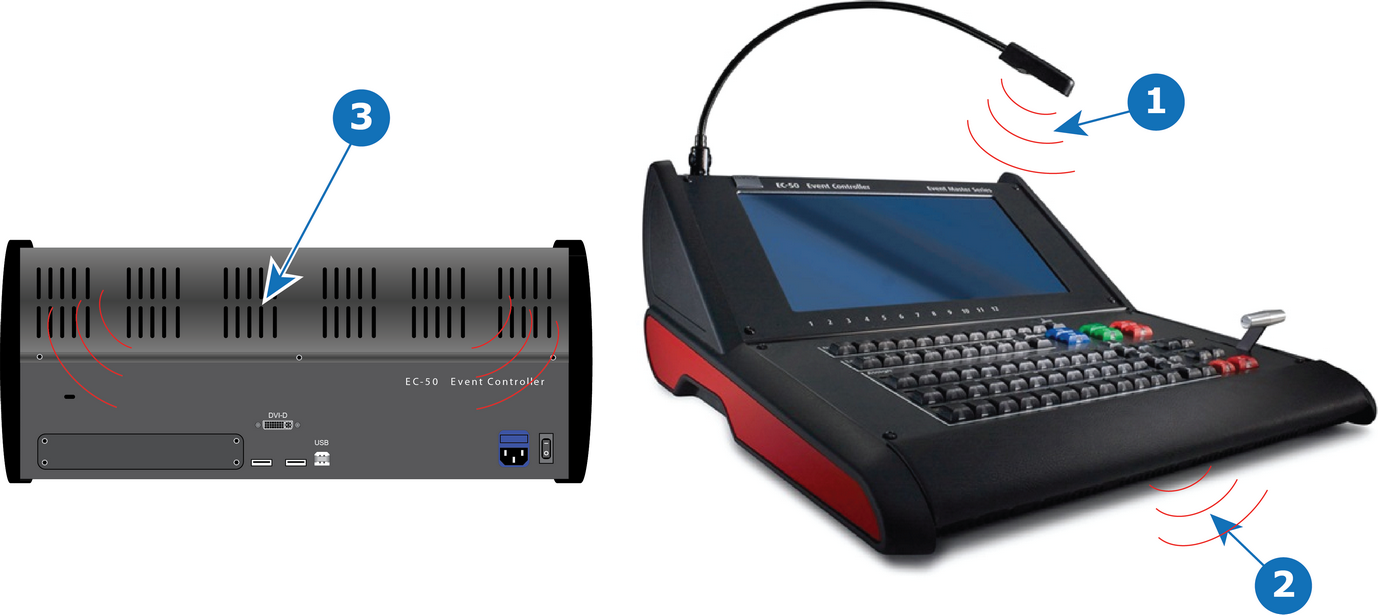
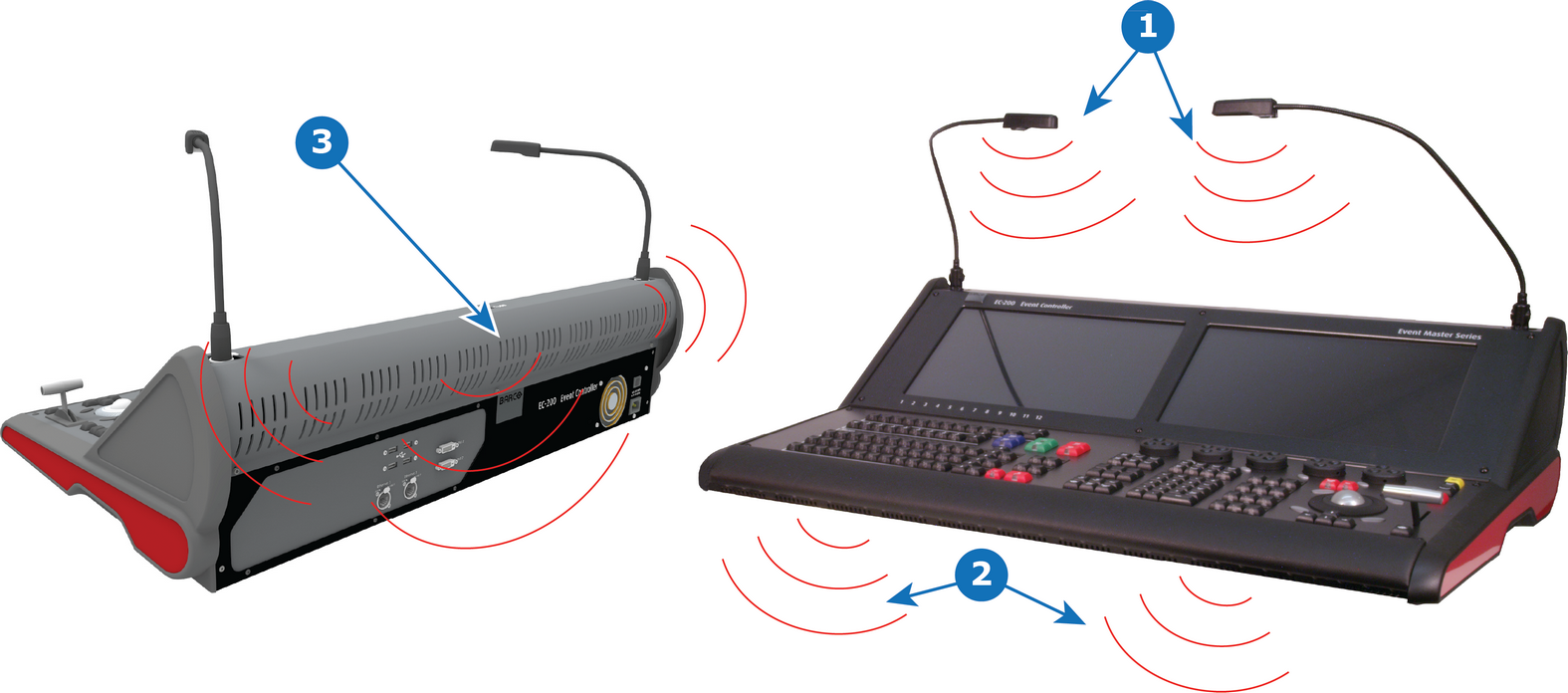
- 1
- Script Light
- 2
- Work Light
- 3
- Red Backlight

Script Light
EC-50 and EC-200/EC-210 controllers are respectively supplied with one and two flexible script light connections equipped with LED light. Light can be adjusted for brightness in the Event Master Toolset Settings menu page in the tab User Prefs, only available when hardware is connected.
Work light
White work light under the hand rest is available as additional light directly in front of the console. Light can be turned on and off in the Event Master Toolset Settings menu page in the tab User Prefs, only available when hardware is connected.
Red backlight
The Red backlight indicates, from the rear, that the console is powered on and also serves as a design element. Light can be turned on and off in the Event Master Toolset Settings menu page in the tab User Prefs, only available when hardware is connected.