16.4 Event Master Cards

Flow chart
Image 16–3 Event Master cards
Overview
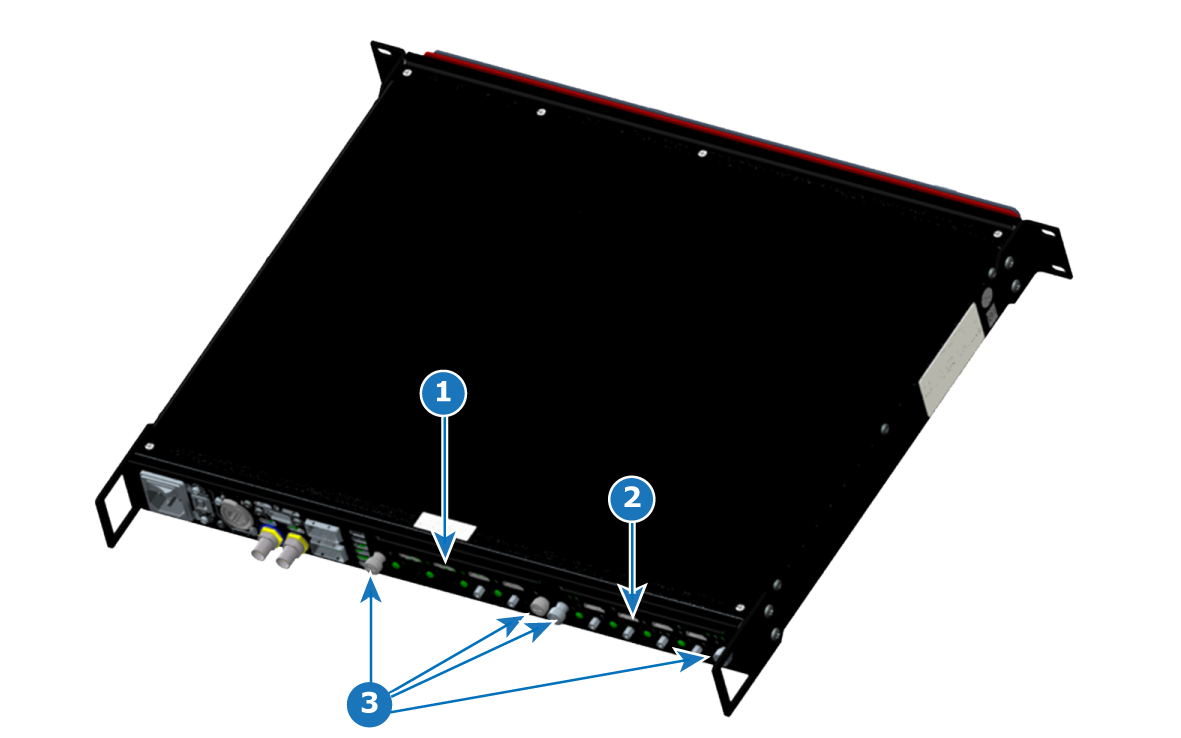
Image 16–4 EX chassis: Event Master card location
1
Card slot #1
2
Card slot #2
3
Card thumbscrews
Concerned parts
Description
DVI Input
SDI Output
SDI Input
HDMI Output
DP/HDMI Input
DVI Output
VPU card
Quad DP 1.2 Output Board
Tri-Combo Input
Tri-Combo Output
Quad HDMI Input
Quad HDMI 2.0 Output
Quad DP 1.2 Input
Necessary tools

None.

How to remove a card
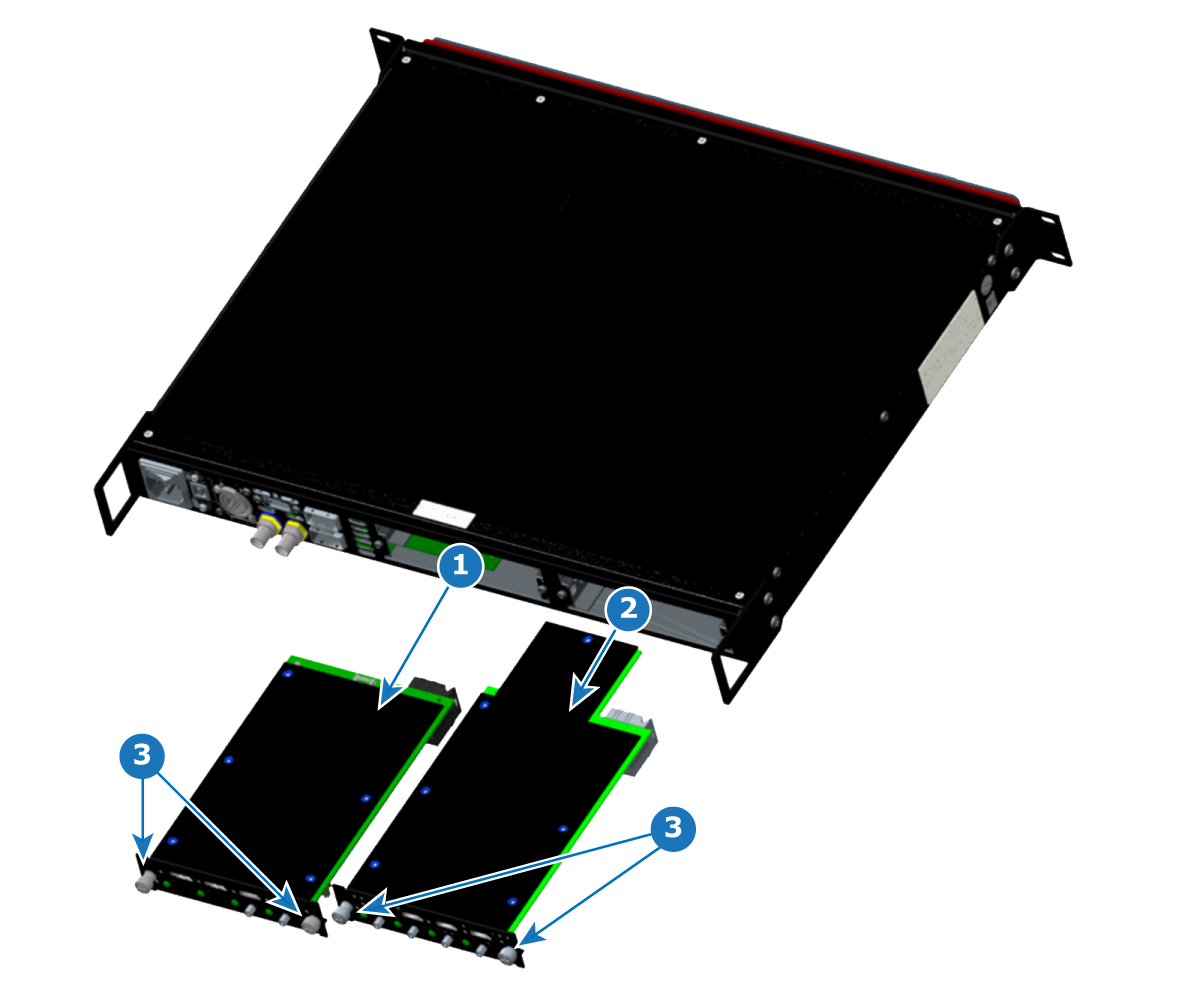
  1. Locate the card that you wish to replace.
  2. Loosen the left and right thumbscrews that hold the card in the chassis.
  3. Grasp the thumbscrews, and gently pull the card out of the slot.
Tip: You may need to wobble the card a bit to loosen it from the mating connector as you pull it out.
Image 16–5 EX chassis: with Event Master cards removed
1
Card from slot #1
2
Card from slot #2
3
Card thumbscrews
How to install a card

To install an Event Master input or output card, follow the steps of the removal procedure in reverse order.

Tip: Apply a little pressure on the card, until it is fully inserted in the back plane connector. At this point the sheet metal of the card should contact the sheet metal of the chassis.