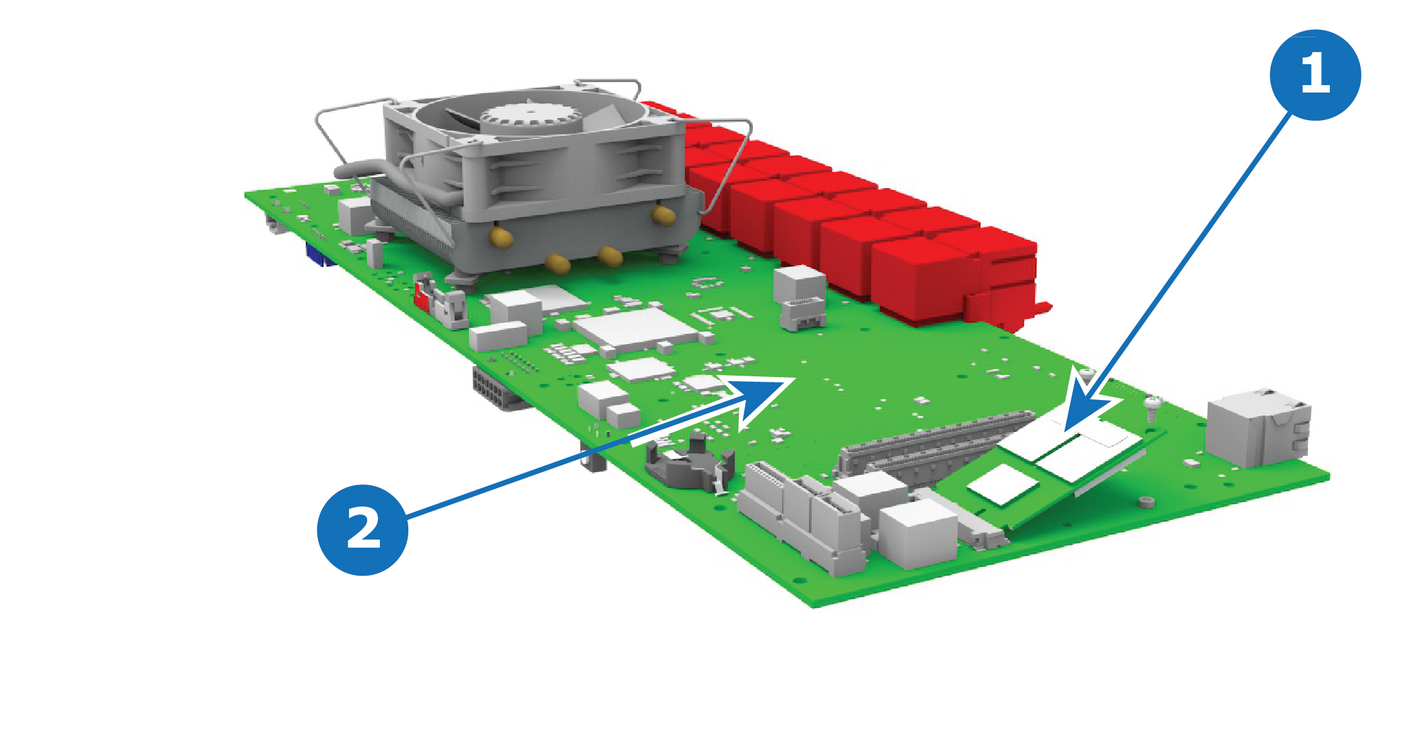
Flow chartImage 15–72 Note: This section applies only to the S3 COMEXPRESS CPU. For the S3 Q7 CPU the solid-state memory is integrated into the CPU.
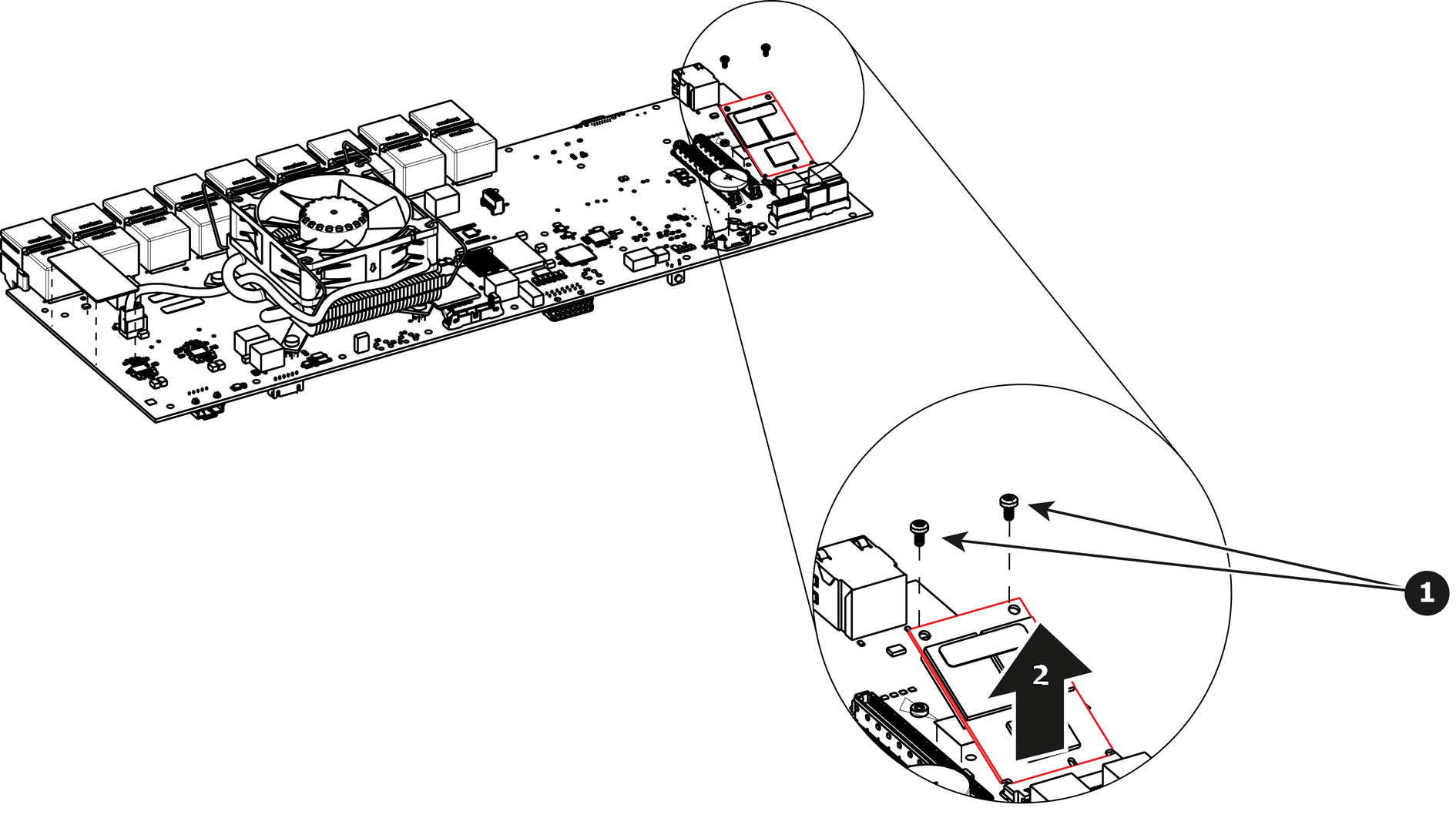
How to remove the Solid State MemoryRemove the 2 screws that hold the memory card.Carefully remove the memory card from the socket.Image 15–74
How to install the Solid State MemoryTo install the Solid State Memory follow the same procedure in the reverse order.