How to use the mini-jack connector
- Connect a cable with the mini-jack connector (reference 2, Image 5–10) of the RCU.
Connect the other end of the cable with the mini-jack input of the projector.
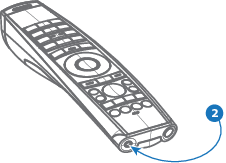
Image 5–10 

Connect the other end of the cable with the mini-jack input of the projector.