What can be done?
Before a created warp file can be loaded in the warp board, it should be transferred (uploaded) from Projector Toolset to the projector.

Before a created warp file can be loaded in the warp board, it should be transferred (uploaded) from Projector Toolset to the projector.
While Warp is enabled, click on Upload Warp files to projector (1).
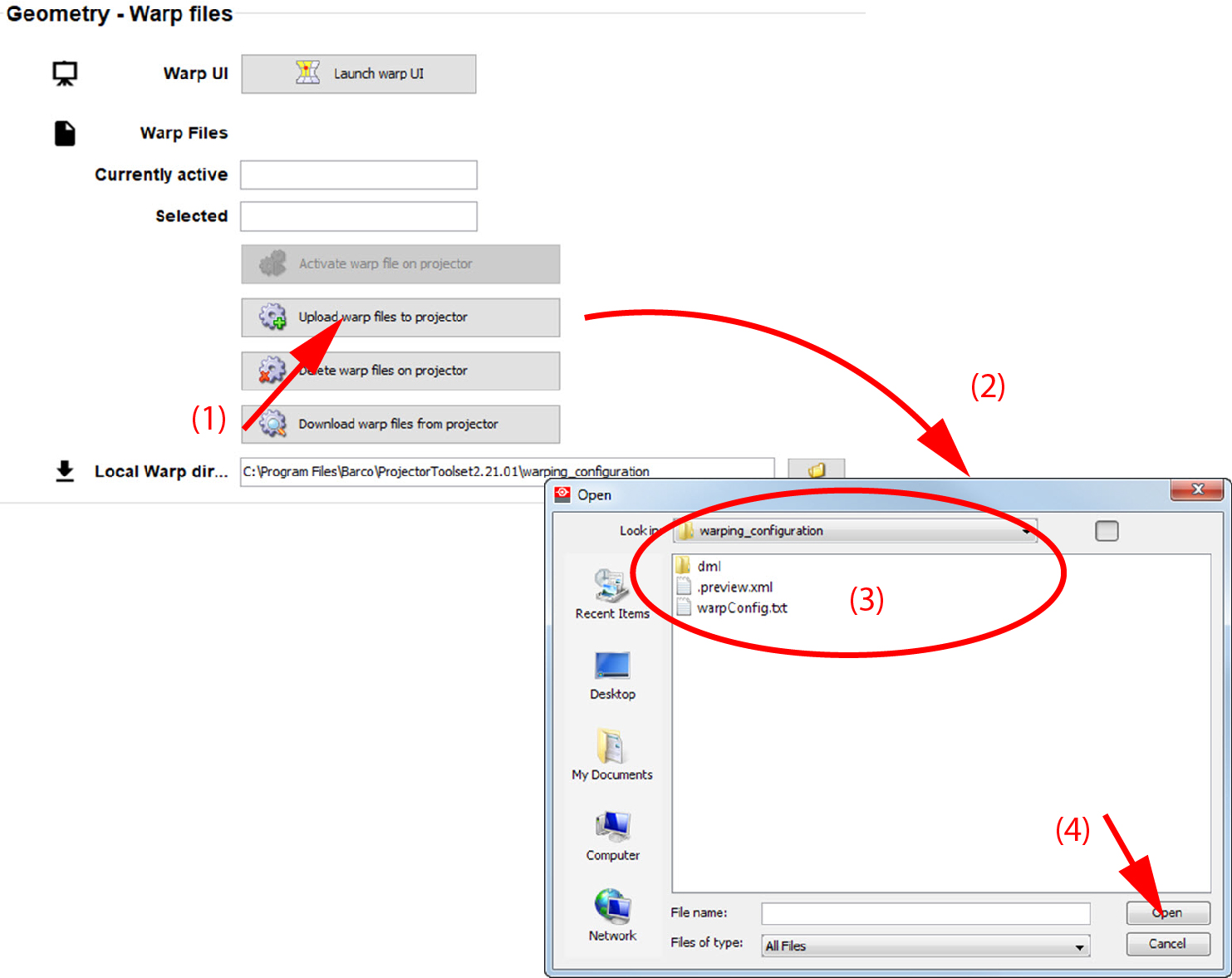
A browser window opens (2).
Right click on the raster window to open the context menu (1).
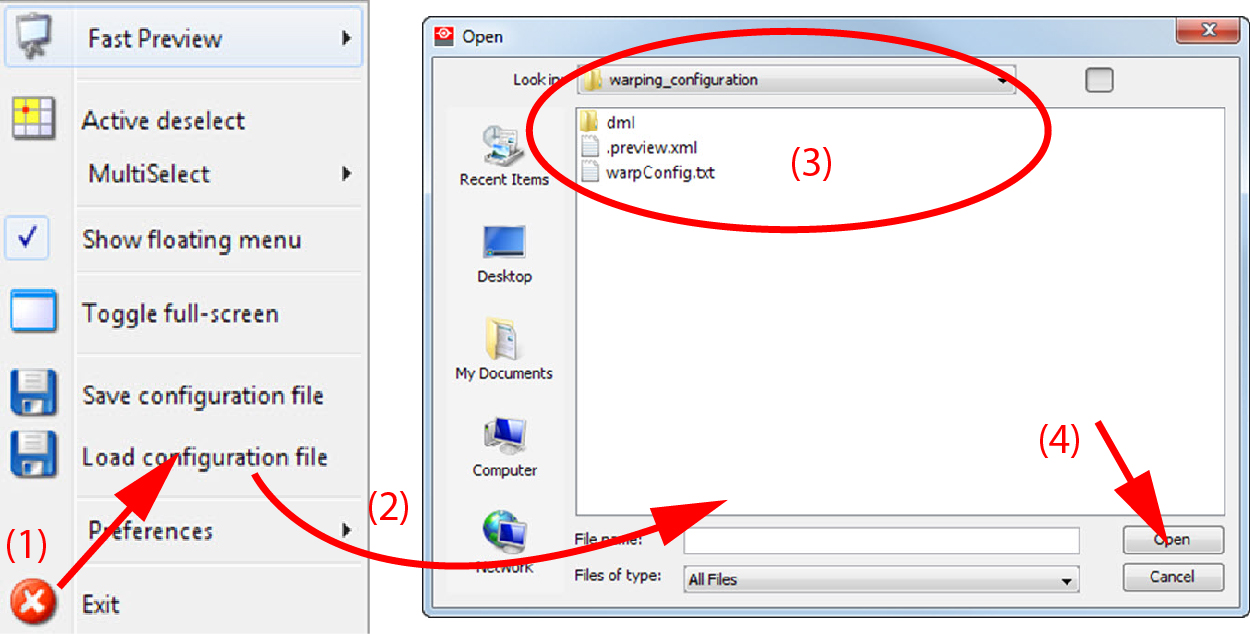
Select .
A browser window opens (2).