What can be done?
A selected number of settings can be reset to the original factory settings. The number of settings available in the list depends on the projector type.

A selected number of settings can be reset to the original factory settings. The number of settings available in the list depends on the projector type.
Click on Maintenance (1).
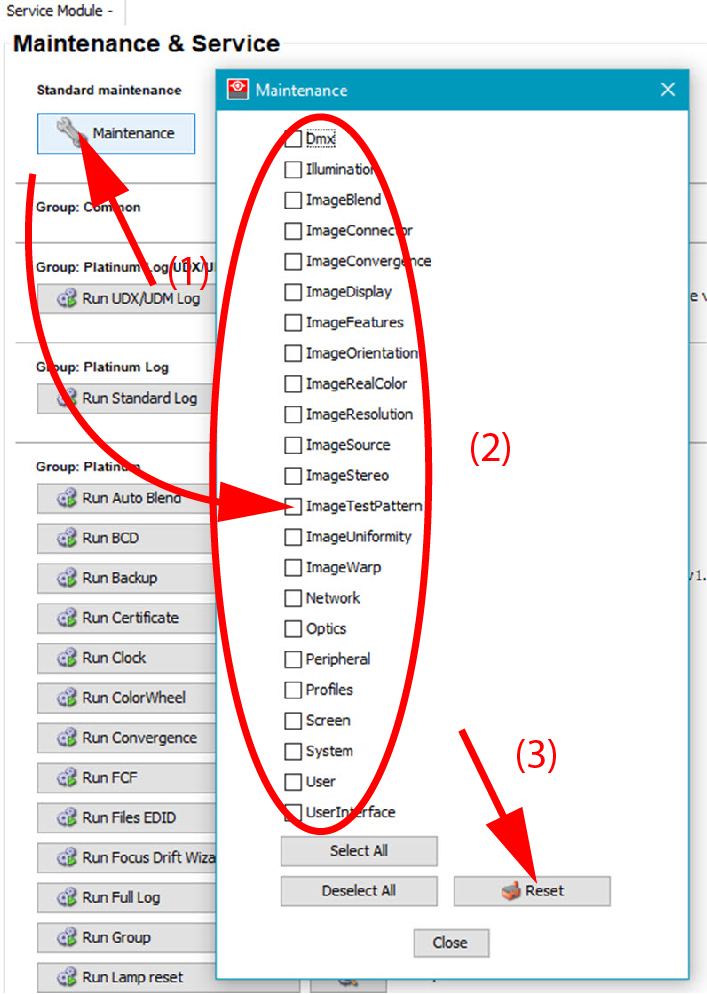
The dialog box is displayed.