13.3.23 Download warp file from projector

What can be done?

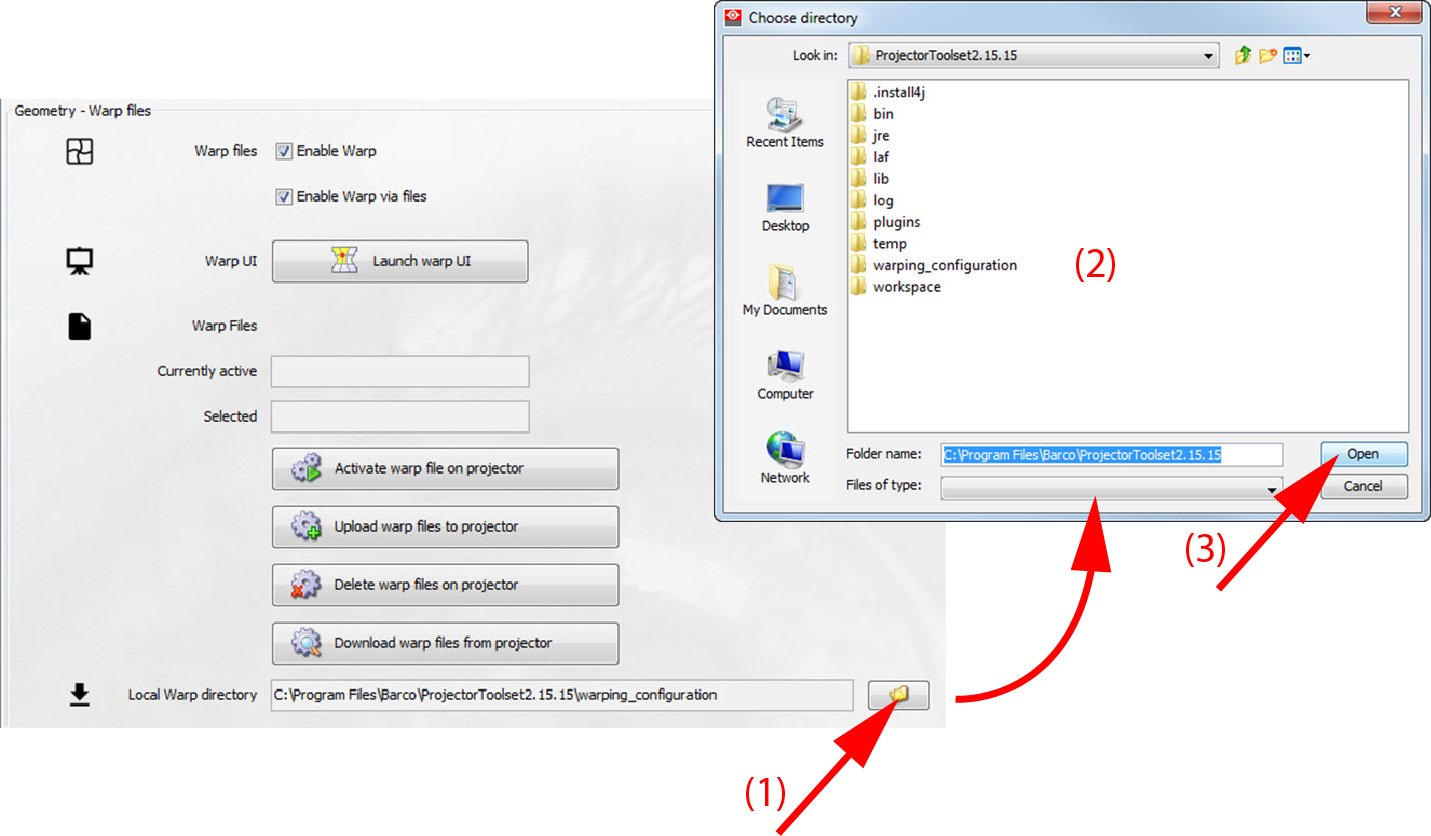
Warp files stored on the projector can be download to your computer. The local Warp directory is the default place to store the files. This default can be changed to any location on your computer. The default local warp directory is located in the same path as the installation of Projector Toolset.
Set local Warp directory
  1. Click on the browse icon to open a browse window.

    Image 13–52 Set local warp directory
  2. Browse to the desired location.
  3. Click on Open.

    The new local warp directory is set.

How to download
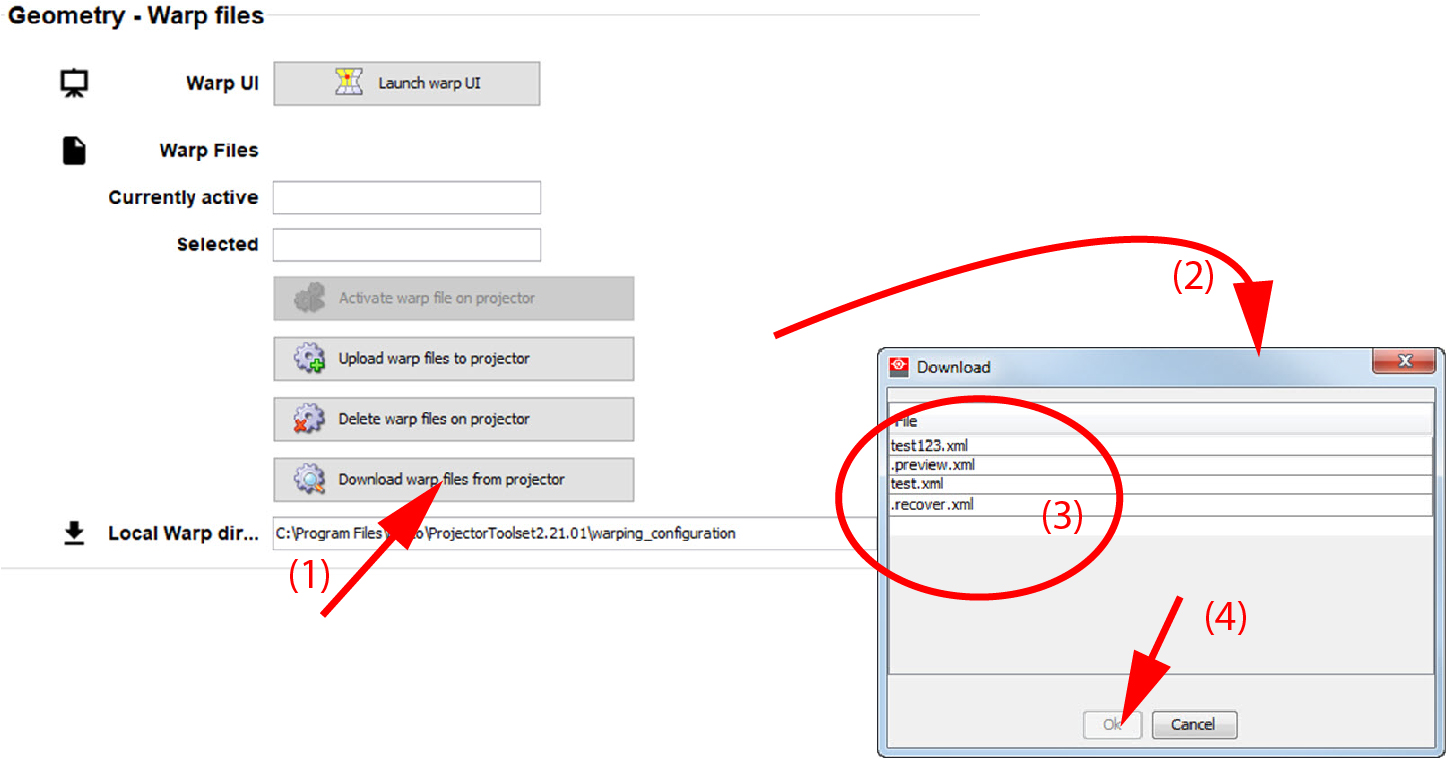
  1. While Warp is enabled, click on Download Warp files from projector (1).

    Image 13–53 Download warp files

    A download window opens (2).

  2. Select the file (3) and click Download (4).

    A Save window opens (5).

  3. Browse to the desired location and if necessary, change the file name (6).
  4. Click OK (7).