What can be done?
A profile can be assigned to a preset number. This preset number is used with the MACRO button on the remote control.

A profile can be assigned to a preset number. This preset number is used with the MACRO button on the remote control.
Click on the drop down next to the desired preset.
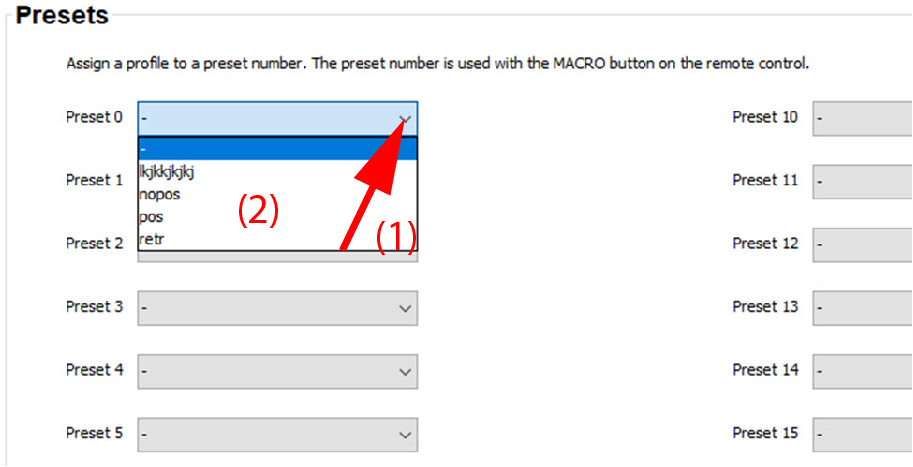
Select the desired profile.
All available profiles are visible in the drop down list.
The profile is now linked with the preset and can be recalled via the MACRO button on the remote control.