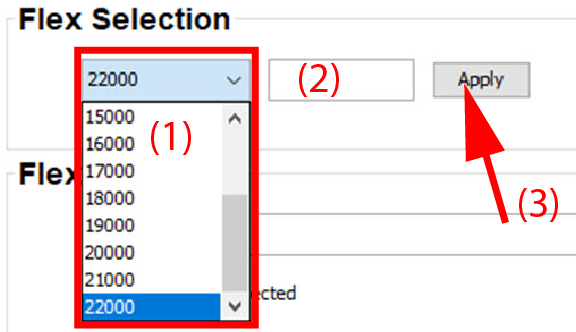
About flex selection
With the FLEX technology the projector owners can lock the light output to different levels. The locking can be done via 3 different ways:
- Via Projector Toolset when connected via an Ethernet connection with the projector.
- Via Insights Management Suite for the projectors connected to the cloud.
- Via the OSD menu of the projector itself.
To lock to a specific value a 4 digit code is necessary. These codes can be created by the projector owner using Projector Toolset.
This flex functionality is only possible when a valid license file is uploaded on the projector.