About hierarchic point mode
A corner point can be moved to a new location. All other points will move in the same direction with respect to the distance between each other. These remains the same.

A corner point can be moved to a new location. All other points will move in the same direction with respect to the distance between each other. These remains the same.
Select full image as Warp area (1).
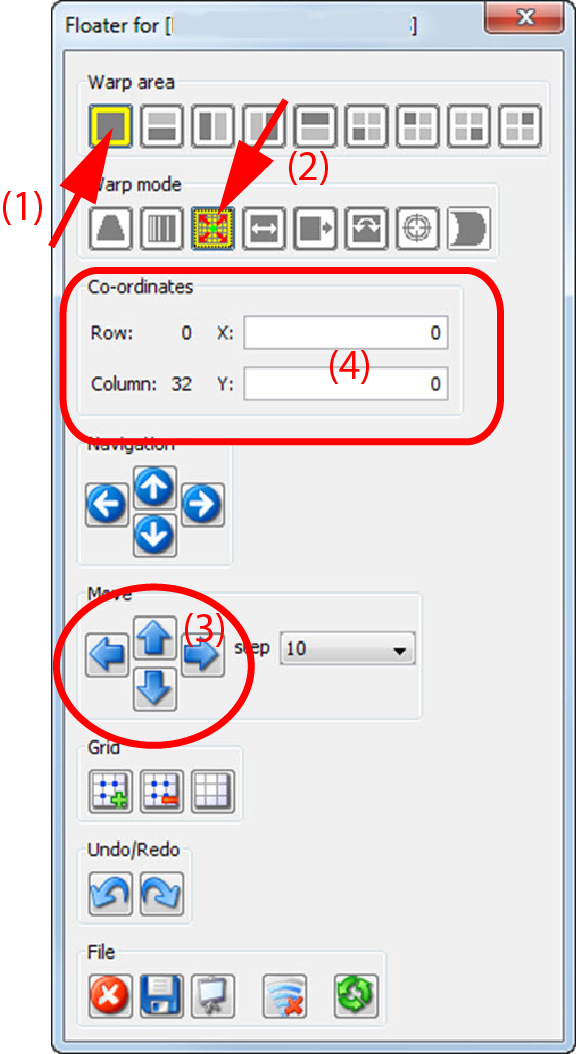
Select as warp mode Hierarchic point (2).
The upper left corner point is selected.
Click on a corner node and move while dragging it to the desired position
click in the pane on the arrow keys until the desired position of the corner point is reached (3).
To fine tune this adjustment, reduce the step.
enter in the pane the coordinates of the desired position (4).