7.4 Lens adjustment in multi-projector setup

About the floater

In a multi-projector setup, you may want to adjust the lens features of all projectors in the setup at the same time. This can be achieved using the “Floater” feature.

The floater launches the Lens adjustment in a separate “floating” window that can be easily moved around.
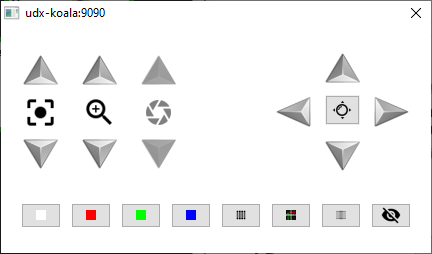
Image 7–6 Example of a Floater window

You can activate a floating window for every projector in your setup and position them next to each other to easily manipulate
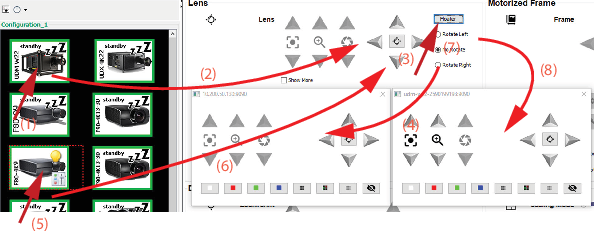
How to activate the floater menus
  1. For the first projector, click on the Floater button to open the lens adjustments in separate window.

    Image 7–7
  2. Select the second projector and click also on the Floater button to open the lens adjustments in a second separate window.
  3. Continue for other projectors.

    All lens adjustments can now be done from the separate windows and test patterns can be switched for each projector.