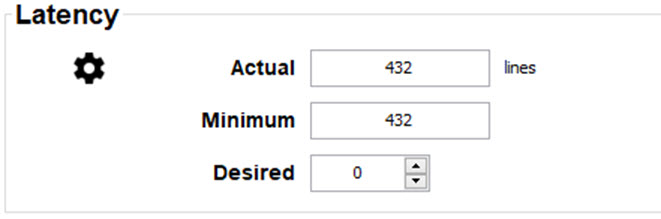
9.3 Latency

Transport latency
The added delay in the image processing chain. The value is the number of lines relative to the output resolution.
Latency
The total time from the first pixel is coming in on an input source, until the first light representing that pixel is visible on the screen. This includes the transport delay. The value is normally given in milliseconds.
Functional description

Every projector in a multi–projector setup will have a different latency. This latency depends on the amount of warp and on the frequency of the projected image. In order to have no visible difference in the overall projected image, the user needs to be able to control the latency of each projector.

The latency value can be red out in the Settings tab for each individual projector.

How to configure the delay
  1. Read out and note the latency of each projector in the multi-projector setup.

    Image 9–3 Latency
  2. Identify the projector with the longest delay.
  3. For each projector in the setup, select tab Settings.
  4. In the Latency pane, click on the up down control until the desired delay is obtained
  5. Repeat this procedure for every projector in the setup.