What is available?
The following properties are available:
- name.
- : date and time when the configuration is created (read only).
- : full path where the configuration is saved (read only).
- : description which identifies the configuration.

The following properties are available:
Click Configuration → (a1).
right click in the preview pane of the configuration preview, but not on a pictograph (a2).
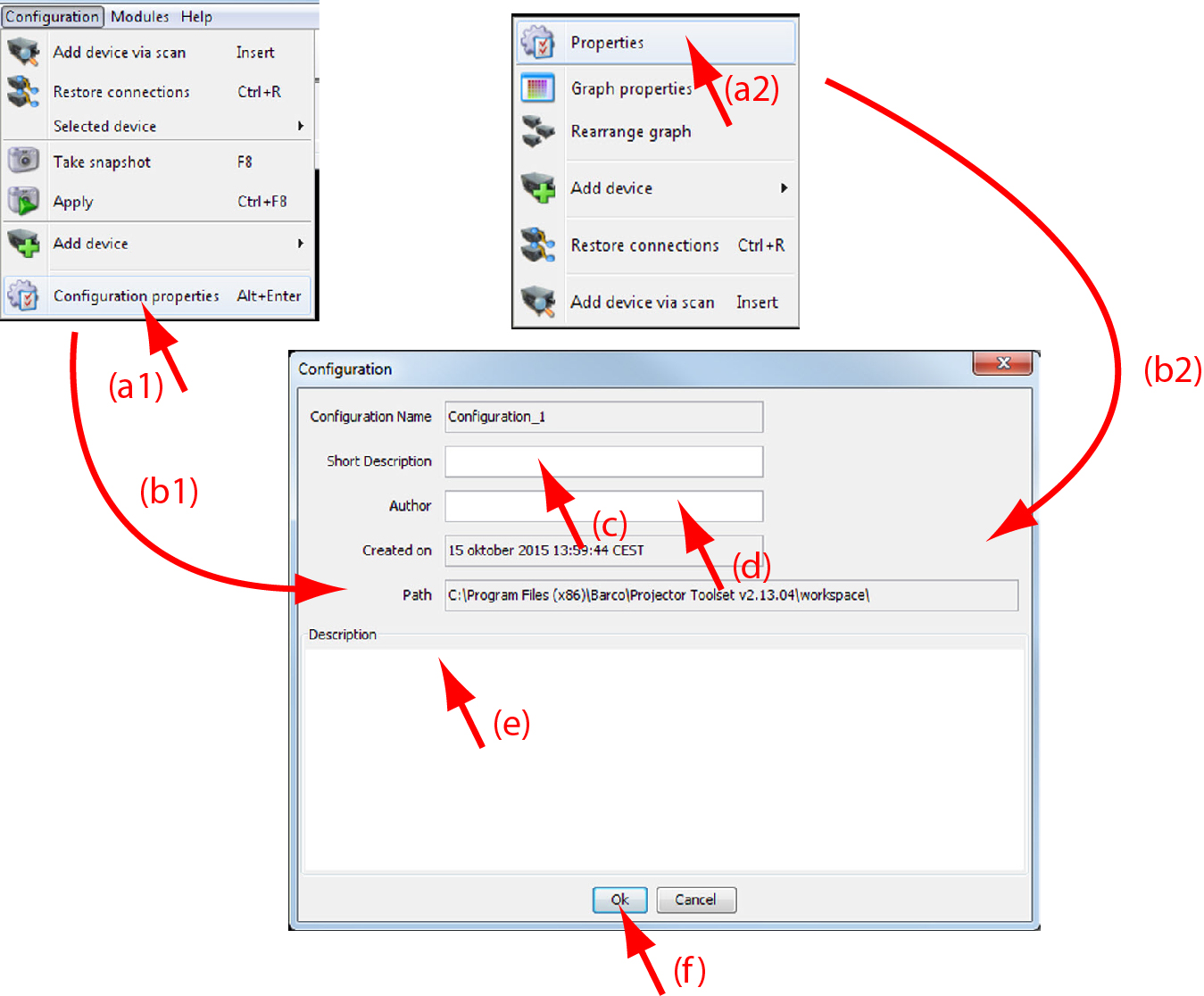
The dialog box opens (b1, b2).