

How to update
- Select the projector in the preview pane.
- Select tab Update settings.
Fill out the path to the update file (1)
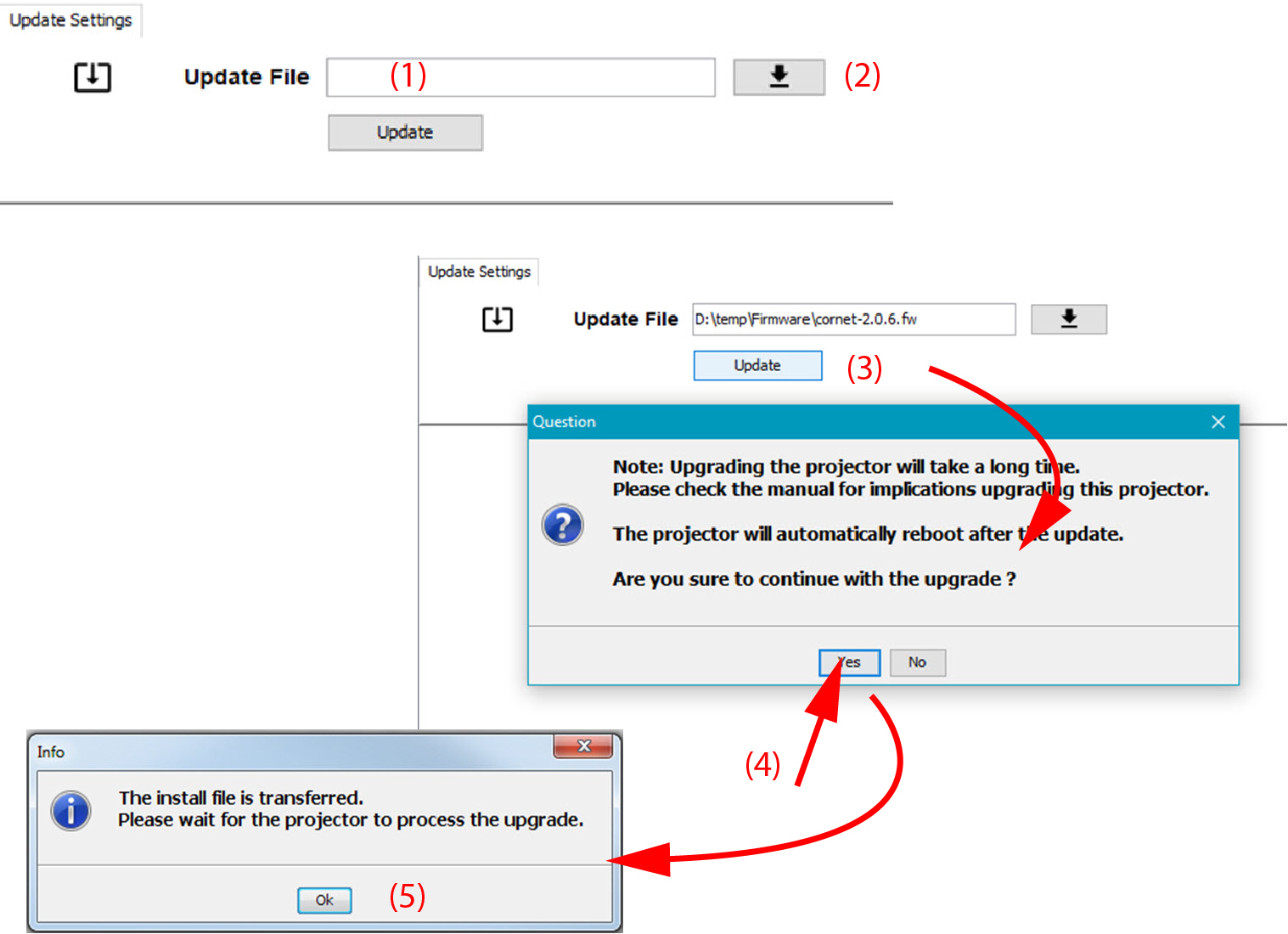
Image 20–2 Update Pulse projector orclick on the path selection icon (2) to open a browser window.
Browse to the desired update package (format .fw) and click Select Update Package.
The path will be filled out in the input field next to .
Click Update (3).
The update starts. This action can take a long time. A message is displayed.
Click Yes to continue (4).
The update file will be transferred to the projector and installed. The projector will reboot.
A message is displayed. Click Ok to clear the message.