What can be done?
A warp file stored on the projector can be activate to become the active file.

A warp file stored on the projector can be activate to become the active file.
While Warp is enabled, click on Activate Warp files on projector (1).
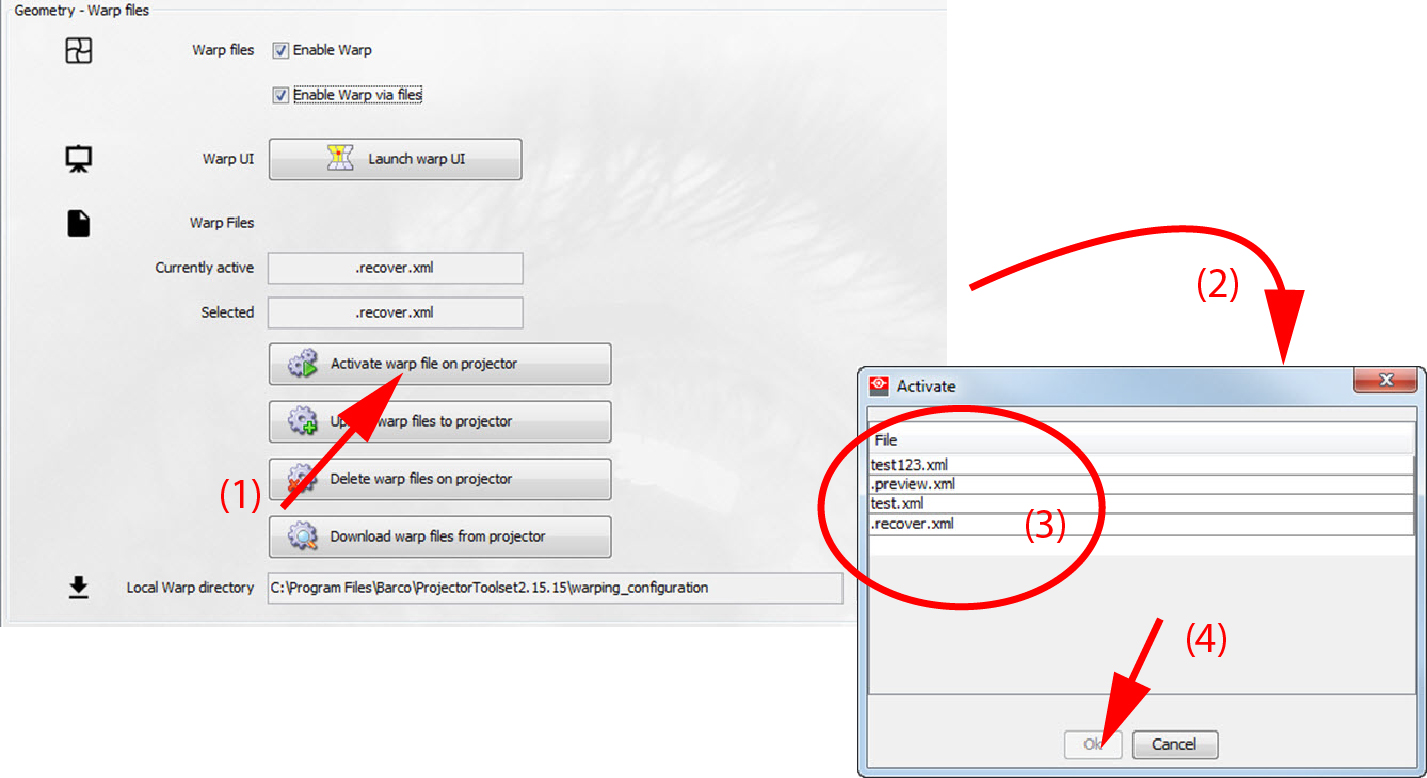
An overview list of the current available warp files is displayed.