6.3.3 Shutter open - close

What can be done

The image projection can be interrupted for a short time. The image disappears but full power is retained for immediate restarting. Shutter is closed.

An indication button next to setting shows the current status.

How to toggle the shutter
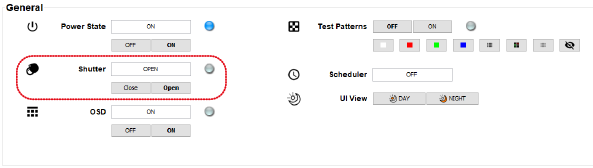
  1. While the projector is on, click on Open next to Shutter to open the shutter.

    Image 6–5 Shutter open – close

    With the shutter open, image projection is now possible.

  2. While the projector is on, click on Close next to Shutter to close the shutter.

    With the shutter closed, image projection is interrupted but the projector remains full powered so that an immediate restart is possible.

Note: The shutter of multiple projectors can be switched from open to close or vice versa at the same time. First make a multiple selection of projectors before switching the shutter state.