
How to create
Click Configuration on the menu and select Create configuration (a)
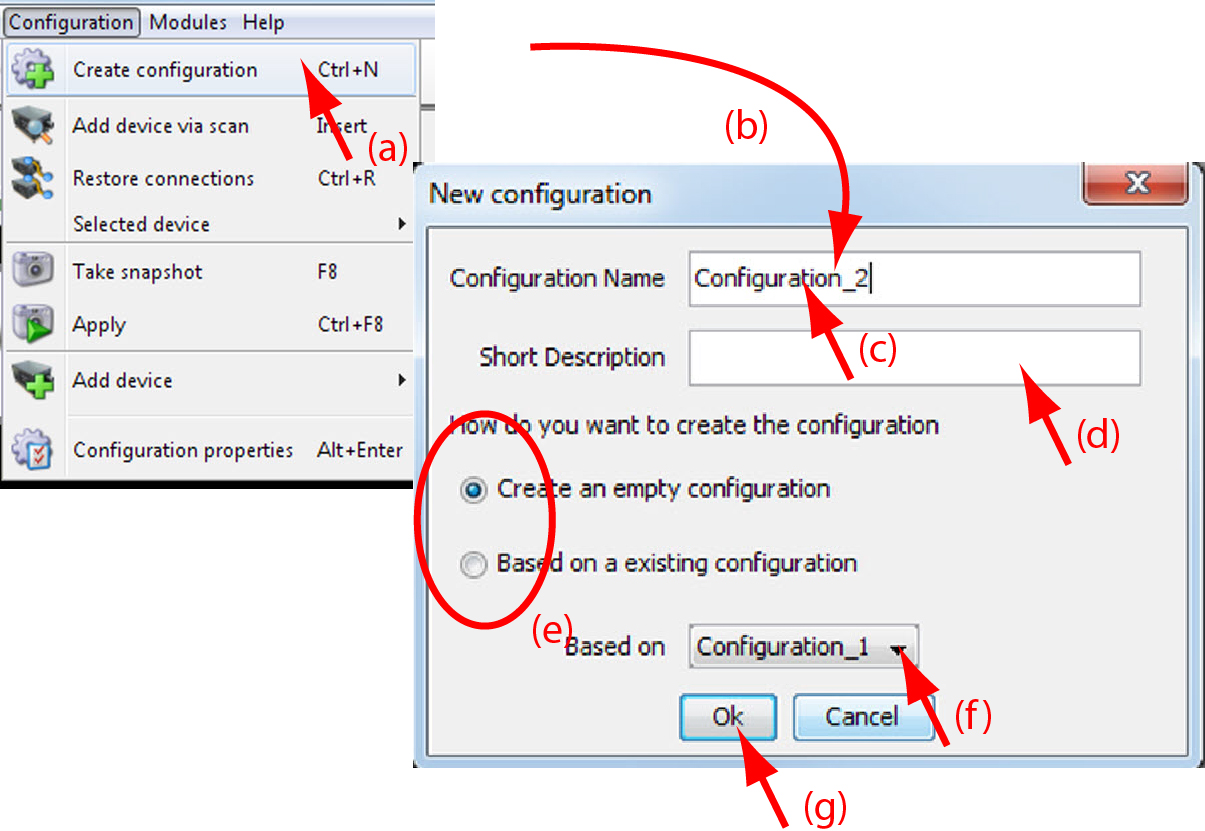
Image 5–2 Create configuration orClick File on the menu and select → (a).
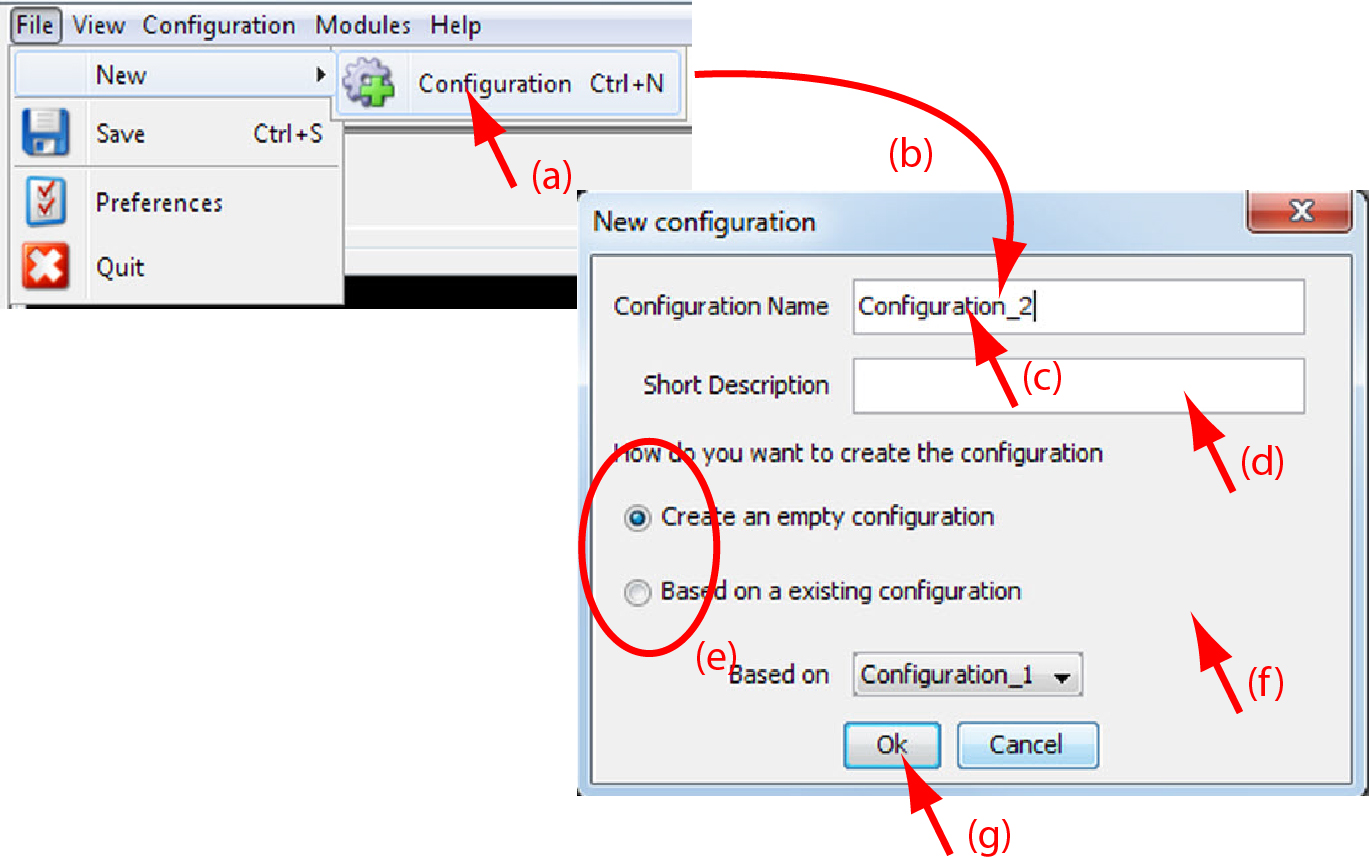
Image 5–3 Create new configuration orpress Ctrl + N.
The dialog box opens (b).
Fill out a name for the new configuration next to name. The default name will be (c).

When it is the first configuration for this workspace, only the option is available.
When there are already configuration available, the option becomes available
- Enter a short description (not mandatory) (d).
- Check the radio button of your choice (e).
- When is checked, click on the combo box and select the configuration on which the new configuration must be based on (f).
- Click OK to create the new configuration (g).