How to select
Click on a node point in the grid.
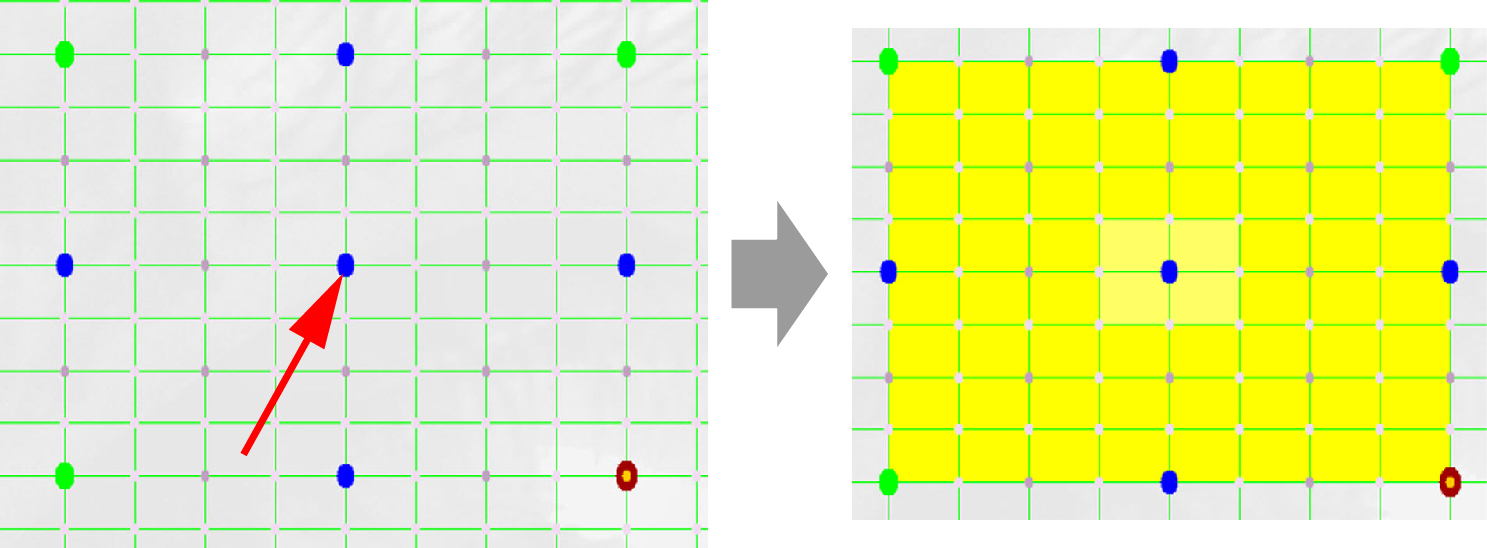
Image 13–31 Node selection An active area is created around that node point. This active area is created by connecting the adjacent active nodes with each other.

Click on a node point in the grid.
An active area is created around that node point. This active area is created by connecting the adjacent active nodes with each other.
Click on the buttons of the menu to move the active area up, down, right or left.
just click on another node and the active area will be moved around the new selected node.
use the arrow keys on your keyboard.