12.1 Activating the Blending adjustment

About Blending

Blending is used in multi channel installation to have a seamless transition between the channels. Image blending gives the appearance of a single view, thus achieving realistic immersion for the majority of wide screen applications.

From the start (offset) position, you can blend zone size per edge (left, top, right, bottom). For each edge there will be a drop-off curve for the blend zone.
How to activate
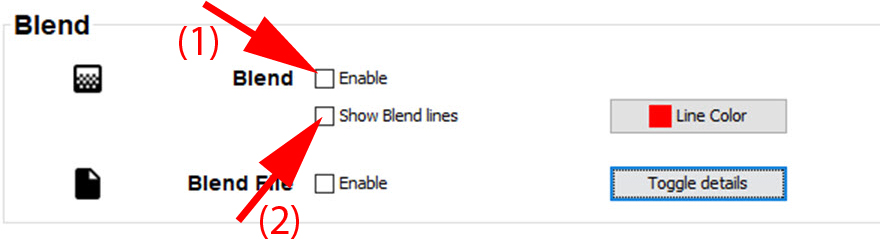
  1. Check the check box in front of Enable blending.

    Image 12–1 Blending, enable - disable
Showing the blend line on the screen
  1. Check the check box in front of Show blend lines.

    The offset and size lines are displayed on the screen to make the adjustment more easy for the user.

    The color of the blend lines can be changed by clicking on Line Color.