15.3 GSM module activation

Note: Only possible when a GSM module with SIM card is installed in the projector.
What can be done ?

To configure the projector software with the installed SIM card, a correct PIN code (4digits) must be entered.

When there was already a SIM card installed, the current configured PIN code is indicated in the GSM PIN area. If the code is still the same, it is not necessary to enter the PIN code again. If the PIN code is changed, continue with the activation procedure.
Note: When your SIM card is blocked, you have to remove the SIM card from the GSM module and to insert the SIM card in a mobile phone so that you can enter the PUK code to unblock the SIM card.
How to activate
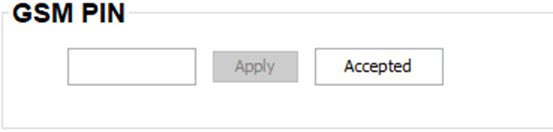
  1. While the License tab is selected, enter the PIN code in the input field and click Apply.

    When your PIN code is correct. The message next to Apply shows Accepted and the entered code becomes visible and cannot be changed anymore.

    When the PIN code is not correct. The message next to Apply shows Unkown.

    Image 15–3