
Start up
While in the Preferences menu:
Click on Workspace selection.
The workspace selection dialog box is displayed.
To change to another workspace, click on the drop down box and select the desired workspace.
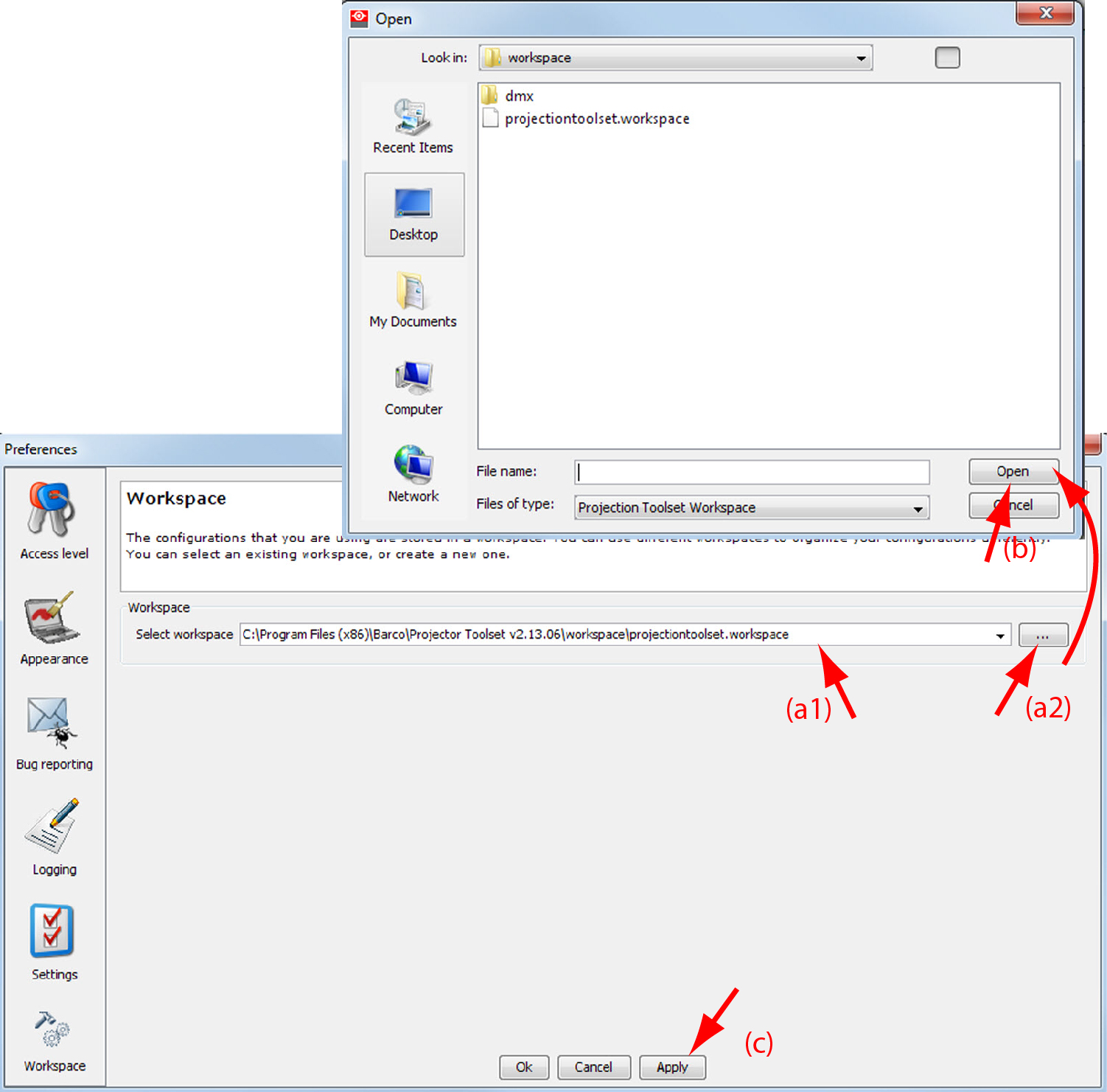
Image 4–13 Selecting a workspace orclick on ... to open an dialog box (a2).
- Browse to a workspace or enter a new workspace in the field.
Click on Open (b).
The current configurations will be closed.
- Click on Apply to apply the new workspace (c).