Overview
The content of the main window changes when a other navigation (module) button is activated, but the main parts are the same for all modules.
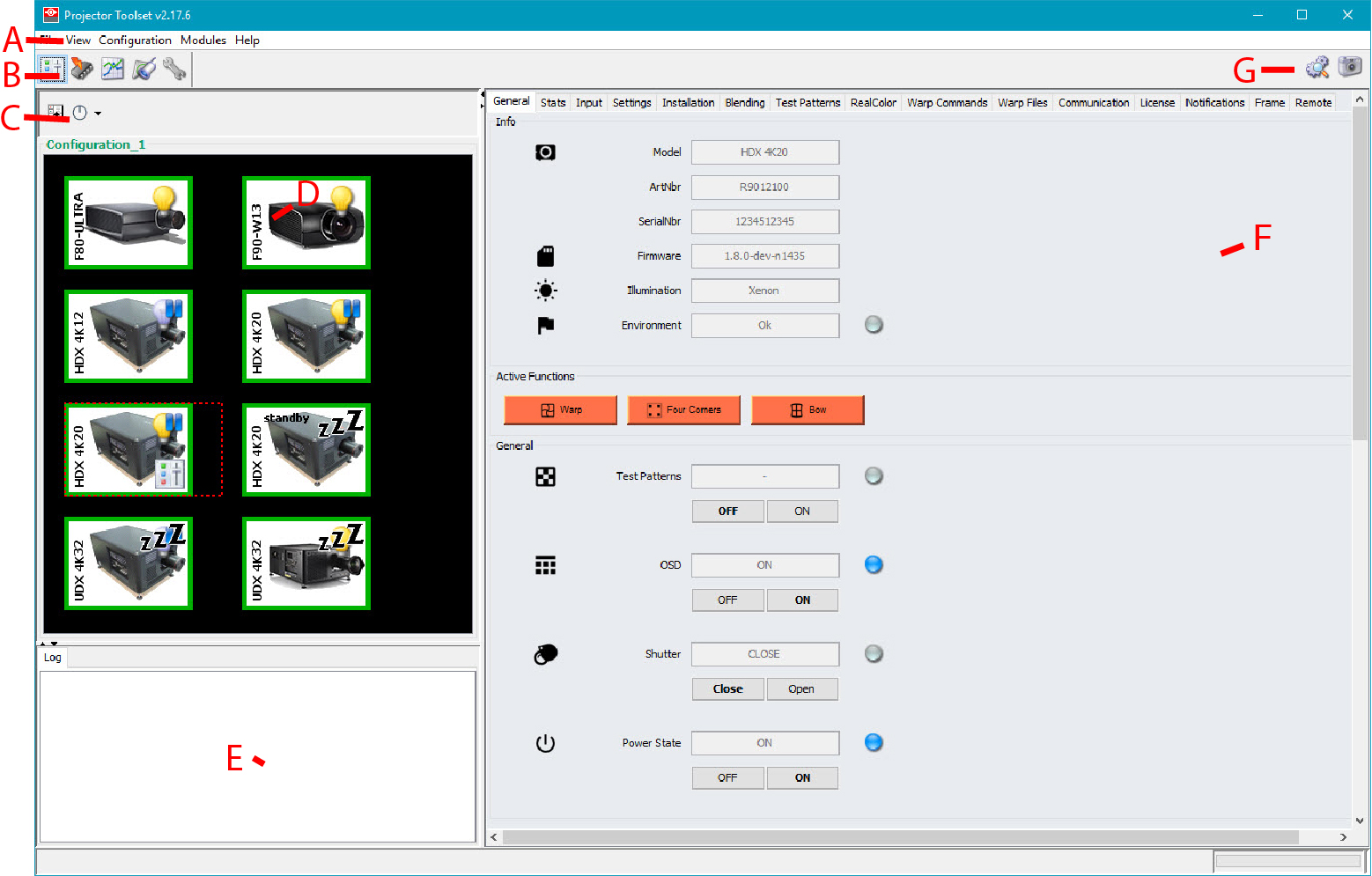
| Indication | Description |
| A | Window title. Construction of active module - Configuration name |
| B | Menu |
| C | Module navigation buttons |
| D | Configuration preview pane |
| E | Log window. Can be hidden by the log information button on top of the configuration preview pane. |
| F | Settings pane. Content changes with the selected module button and selected projector/device. |
| G | Manage buttons for configurations and snapshots |