13.3.6 Increasing - decreasing the number of nodes

What can be done?

More or less node points can be added to the grid. The more node points, the higher the adjustment level, the more accurate the adjustment.

Start with as less node points as possible and increase the number of points to fine tune the adjustment.
How to manipulate the number of points?
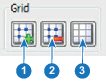
  1. With the Floating menu open, click on the + grid icon (left icon) to increase the number of nodes (1).

    Image 13–29
  2. To decrease the number of nodes, click on the - grid icon (2).
  3. To reset the adjustments, click on the reset grid icon (3).