What can be done?
A preview of the adjustment can be displayed or not while adjusting the warping.

A preview of the adjustment can be displayed or not while adjusting the warping.
In the menu, click on the Preview icon (1).
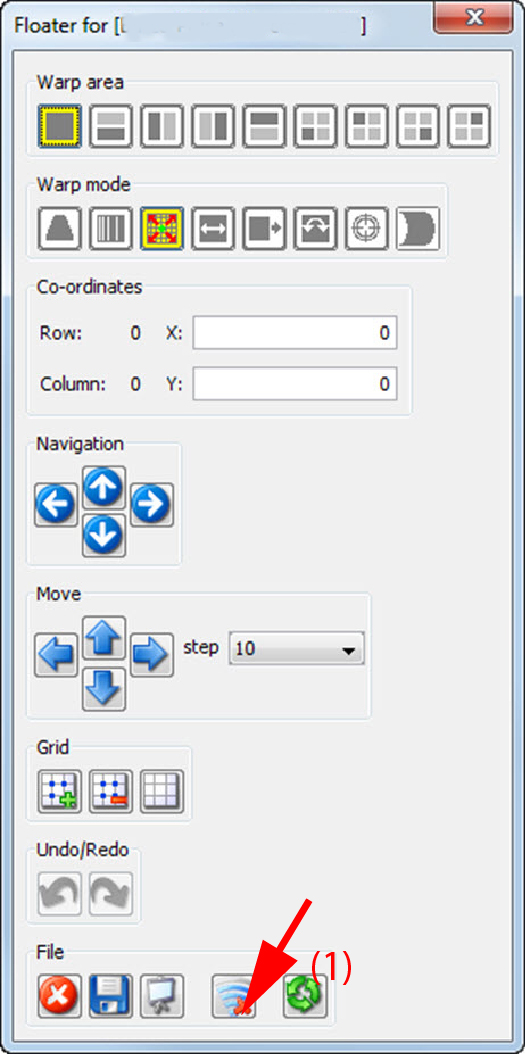
When clicking on the preview icon with a green check v, then the preview will be displayed.
When clicking on the preview icon with a red cross, then the preview is not displayed.