What can be done?
The currently selected test pattern can be switched on and off. An indication button on the right indicates the test pattern status.
- While gray: test pattern is OFF.
- While blue: test pattern is ON.

The currently selected test pattern can be switched on and off. An indication button on the right indicates the test pattern status.
While a test pattern is displayed on the screen, click on OFF the remove the test pattern from the screen.
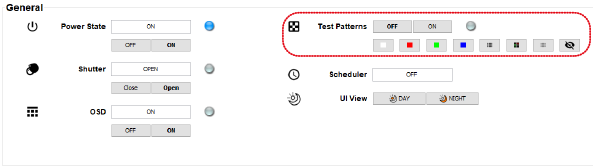

Shortcut buttons of the most used test patterns are available just below the on/off buttons. While a test pattern is active, click on the desired shortcut button to select that respective test pattern.
To select a test pattern from outside of this selection, go to tab .