About test patterns
The current selected test pattern is displayed next to .
A list of possible test patterns is available.

The current selected test pattern is displayed next to .
A list of possible test patterns is available.
To select a test pattern, click on a test pattern name in the list (1).
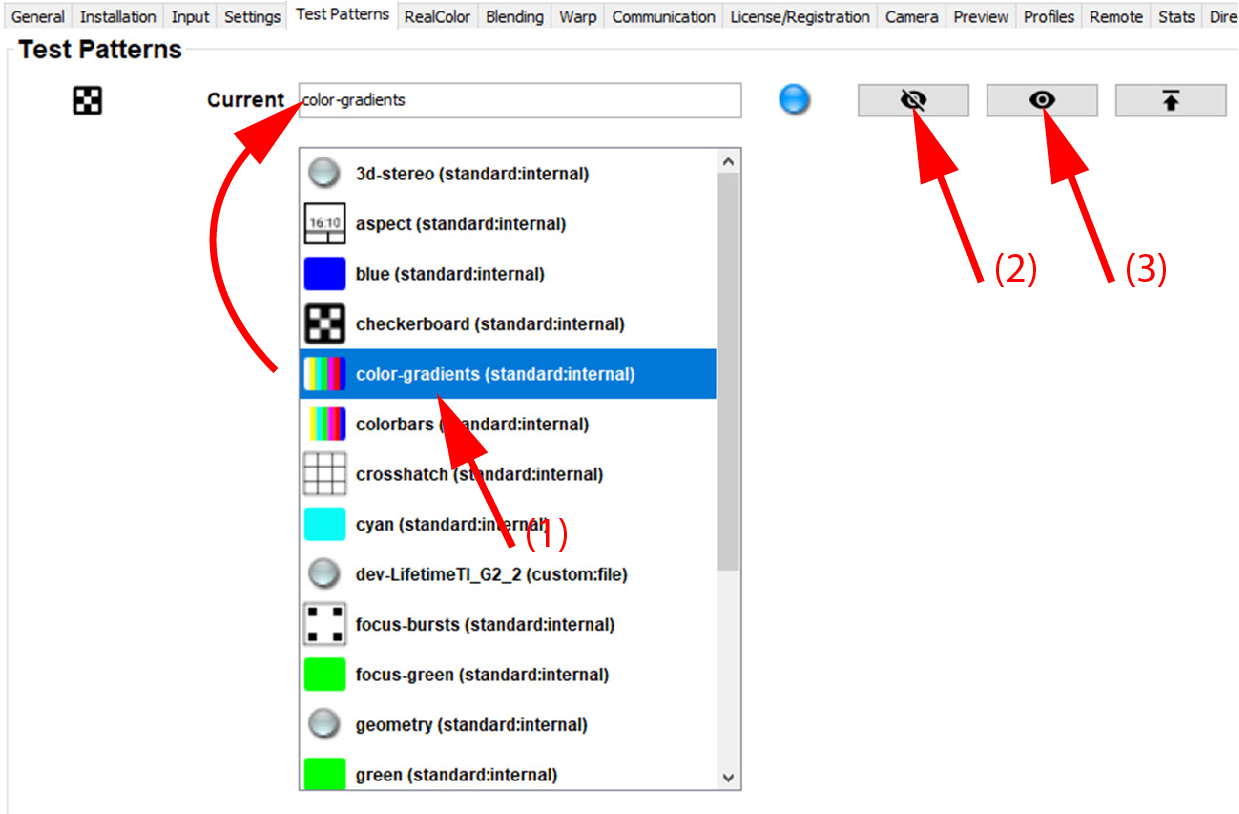
The selected test pattern name is displayed in the current field.
To upload a custom test pattern, click on the upload icon (1).
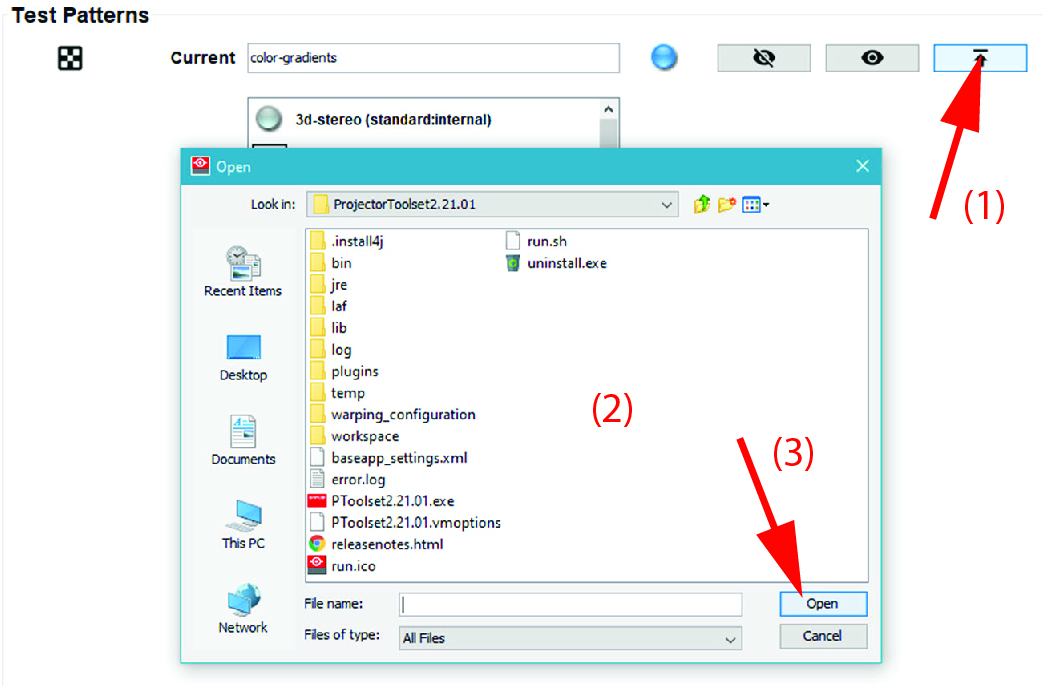
A browser window opens.
Click Open (3) to upload the test pattern.
The new uploaded test pattern will be available in the list of test patterns with the indication .