
To power on
When the projector is in Standby or Ready mode, click on the ON button to start up the projector.
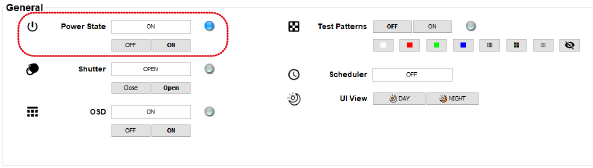
Image 6–3 Powering on – off To projector goes from standby to Ready mode. The power state during power on will be indicated next to . The Power on/off button on the projector will blink until the projector is ready. Once the projector is Ready, the Power button will be lit BLUE.
When powering on, the projector needs some time to power on.
