
How to preview
Click on Toggle Manage to open the management functions.
Click Toggle Manage again to close.
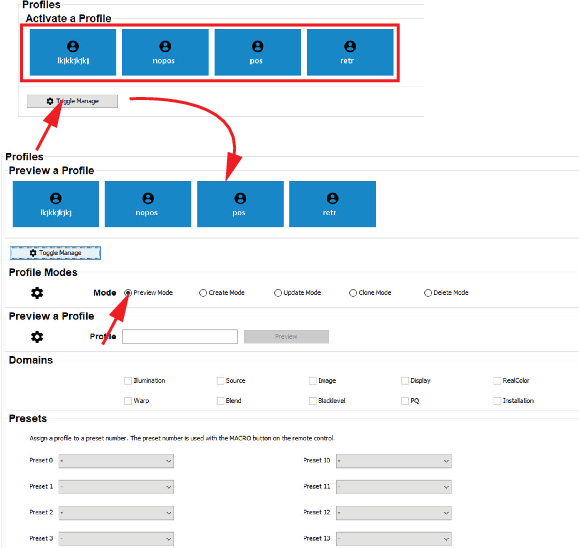
Image 18–2 Select the profile mode. To preview profiles, select .
The top pane will change into .
Double click on a profile to preview.
orenter a profile name in the input field and click Preview.
Domains that contains profiles are indicated.