5.7 Edit projector properties

Via the menu
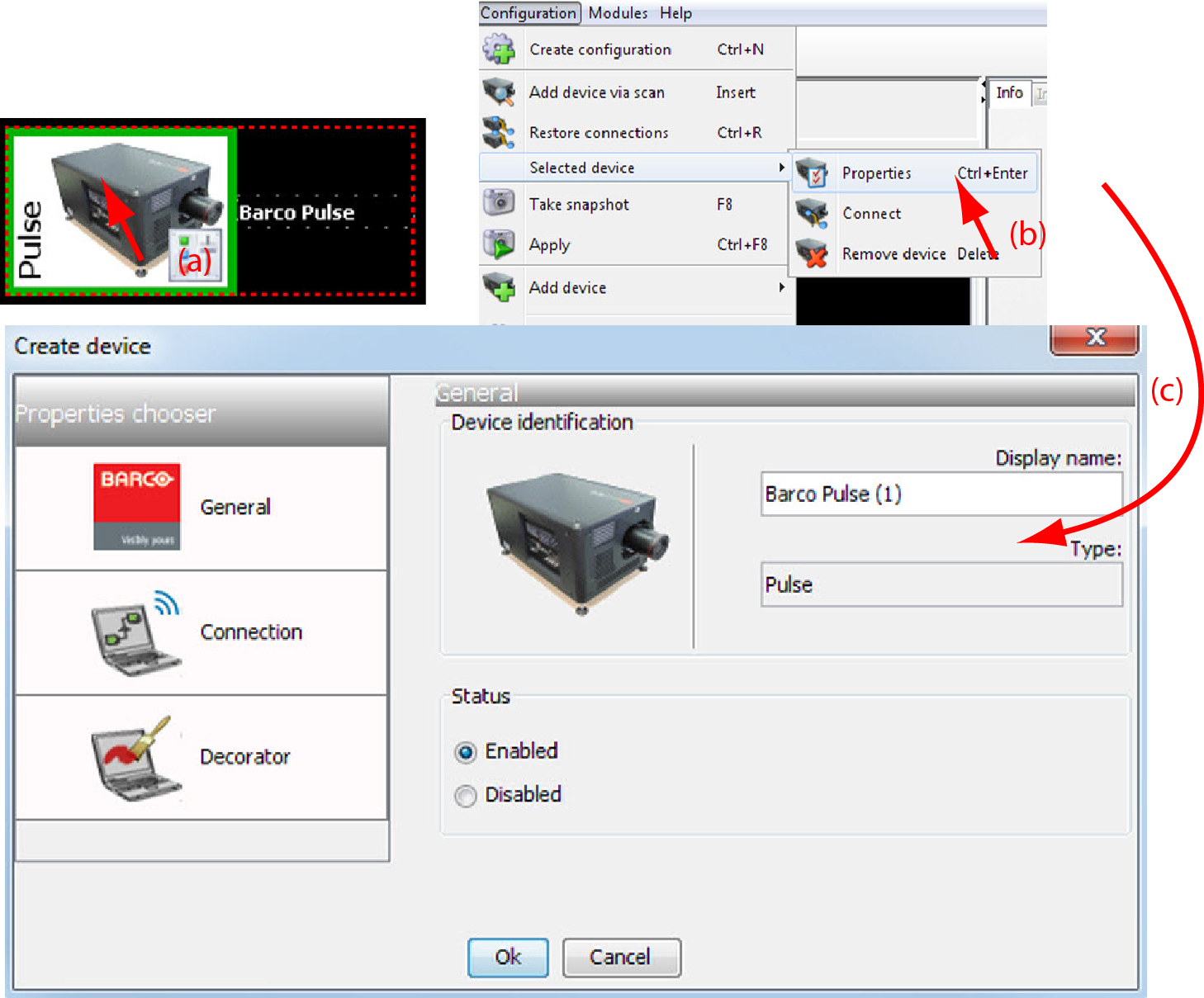
  1. Click on a projector to select (a).

    Image 5–18 Edit projector properties via menu
  2. Click Configuration on the menu and select Selected deviceProperties (b).

    or

    press Ctrl + Enter.

    The Properties dialog box opens (c).

    To edit the:

    • general properties.
    • connection properties.
    • decorator.

    see Add projector to a configuration.

Via the context menu
  1. Right click on a projector graph in the configuration preview.
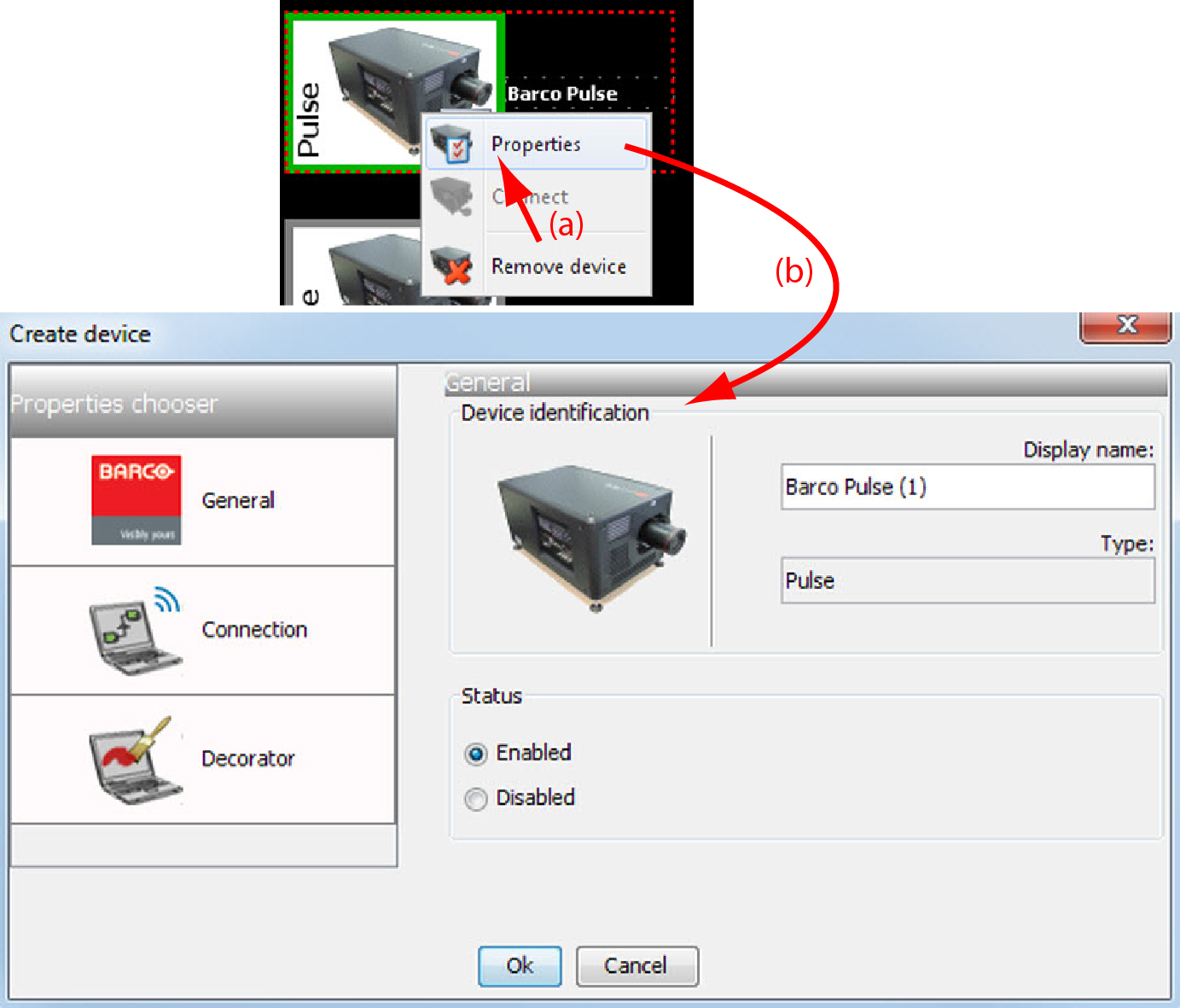
    Image 5–19 Edit projector properties via right click

    A context menu opens.

  2. Select Properties.

    The Properties dialog box opens.

    To edit the:

    • general properties.
    • connection properties.
    • decorator.

    see Add projector to configuration.